


Solve organizational bottlenecks with our class scheduling solution
Stepsi offers a complete scheduling solution for creating events, managing multiple calendars, and handling class bookings and waitlists across web and mobile. Create one-time or recurring classes, manage private and public schedules for different locations and rooms, assign instructors, offer seat- or slot-based bookings, and keep members informed about availability and schedule changes.
Get started
Start scheduling smarter

Create any class or event in seconds
Set up your entire studio schedule from one visual calendar. Create one-time or recurring classes, workshops, events, and multi-day programs, then choose exactly when and how often they take place. Your scheduling system adapts to the way your studio operates, without complicated setup.
One schedule, everywhere
Keep your schedule synchronized across web and mobile, so members always see the latest classes, availability, and changes.
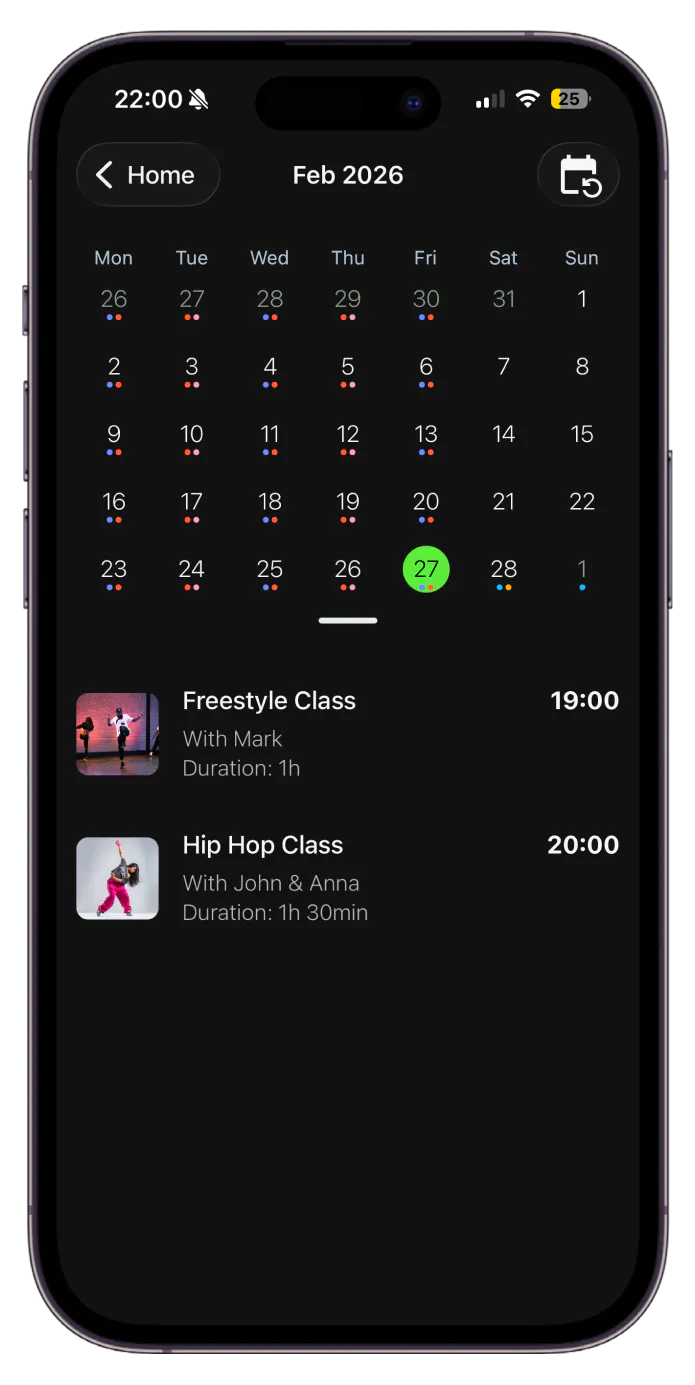
Showcase every class
Add class descriptions, assign instructors, display instructor photos, and include presentation or promo videos for clear, at-a-glance visibility.


Set up the right payment model for every class
Choose how members access and pay for each class. Enable paid bookings, memberships, class packs, or recurring tuitions, and set prices, capacity, and access rules to match your studio’s programs.
A calendar for every part of your studio
Stepsi lets you create separate calendars for different locations, studio rooms, or private internal planning. Keep public schedules organized while giving your team dedicated calendars for operational planning.
This is especially useful for children’s dance schools managing multiple rooms and age groups, and performance & recital schools planning rehearsals and recital logistics separately from the public schedule.
- Create a separate calendar for each location or studio room
- Keep internal schedules private and staff-only
- Build schedules with simple drag-and-drop tools
- Copy and delete events directly from the calendar
- Export any calendar to PDF for printing or sharing

Keep every class full with smart booking management
Stepsi gives dance studios two ways to manage bookings. Use slot bookings for general class capacity, or seat bookings when each attendee needs a specific numbered position. Both booking types support waitlists across web and mobile, helping you capture demand even when classes or events are full.
Adult recreational & social dance studios can use slot bookings for popular drop-in classes and waitlists for full evening sessions. Performance & recital schools can use seat bookings for assigned recital seating while managing regular classes with slot bookings.
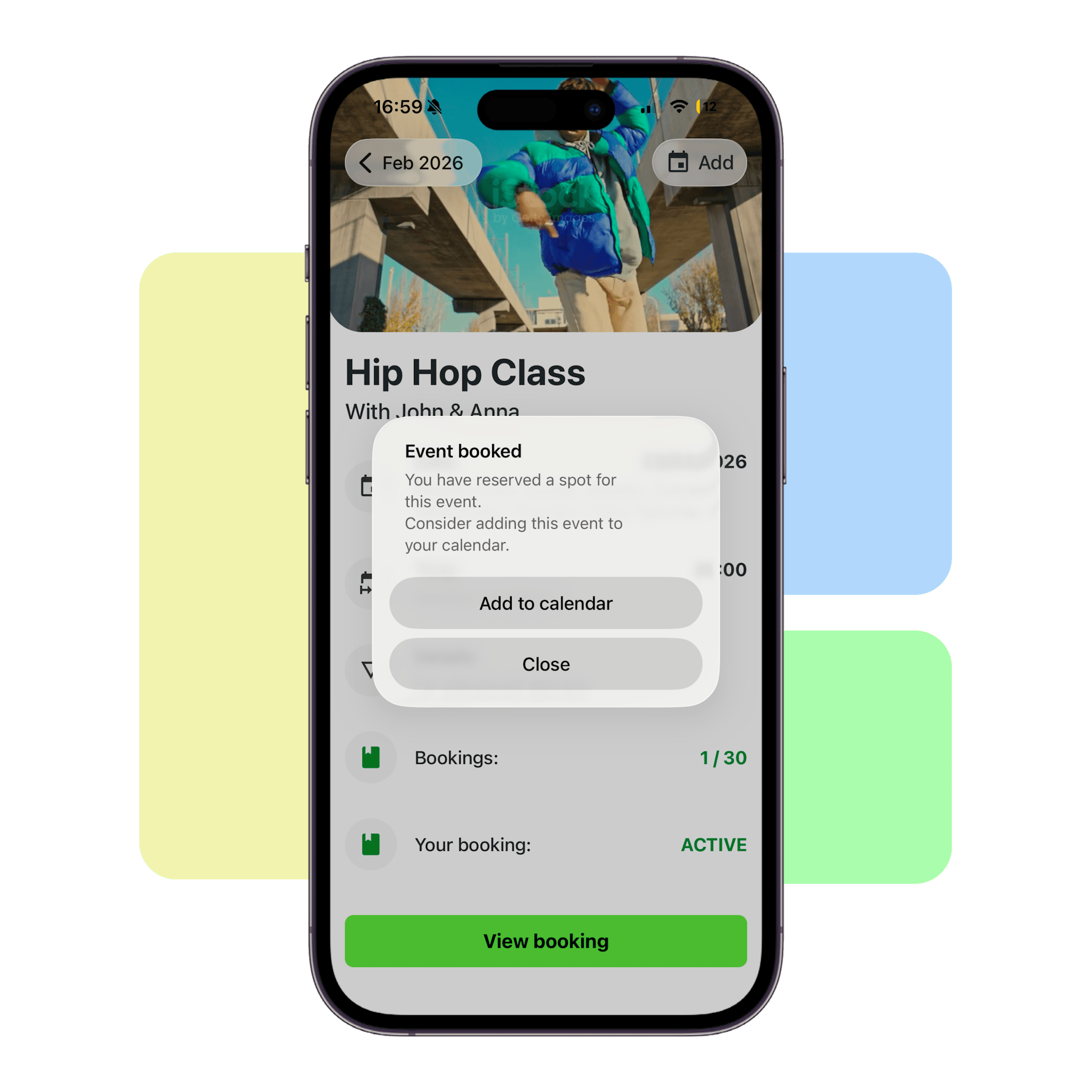
Efficient class drop-ins
Members can browse your class schedule and reserve their spot directly from the mobile app.

Flexible payment options
Let members pay online by card or wallet, or choose to pay at your studio location.

Smart waitlist system
Automatically manage full classes and waitlists, notifying members when spots become available.
Keep instructor availability in sync
Register instructors, manage their availability, and automatically keep classes up to date. When an instructor becomes unavailable, members booked into the affected class can be notified about schedule changes or cancellations without manual communication.
- Create instructor profiles and assign them to classes
- Keep instructor schedules and class availability synchronized
- Automatically notify members about class changes or cancellations

Frequently asked questions
What is Stepsi Class Scheduling & Waitlists?
Stepsi Class Scheduling & Waitlists is the feature set inside Stepsi that manages a dance studio's classes, calendars, bookings, and instructor availability.
Can I create both one-time and recurring classes?
Yes. Stepsi supports one-time events like workshops and recurring events like standing weekly classes, both of which are bookable on mobile and web.
Can I have a separate calendar for each studio room or location?
Yes. Stepsi supports multiple calendars, each tied to a location or room, or set to private for internal planning.
What's the difference between a seat booking and a slot booking?
A slot booking reserves a general spot in a class with no assigned position. A seat booking reserves a specific numbered seat, such as assigned seating for a recital performance.
Can members join a waitlist if a class is full?
Yes. Waitlists are available on both mobile and web for slot and seat bookings, with automatic notifications when a spot opens.
Can I see who attended a class in the past and who's booked for the future?
Yes. Each class shows its full past attendance history alongside upcoming bookings in one view.
What happens if an instructor becomes unavailable?
Members booked into that instructor's class are notified automatically of the change or cancellation.
Manage your class schedule effectively
Ready to simplify your schedule? Start using Stepsi today and manage classes, bookings, waitlists, and instructors from one platform.
Create an account for free
Create an account for free and choose your unique 6-letter business slug.
Start your journey with Stepsi
From onboarding members to daily check-ins, our dedicated team will help you get set up seamlessly.
Choose your favorite plan
At any time, choose one of the many available plans that best suit your needs.