


How to add a recurring dance class to your Stepsi calendar
Your timetable is a set of recurring classes. This tutorial shows how to create one in Stepsi, from the basic information to the days it repeats and how it looks to students.

Set up a weekly class once and Stepsi repeats it on the days you choose, all term. Students then see it in the app and on your website.
1. Add the class information
Go to Calendar and click Add Event. On the Details tab, enter the Title (for example Contemporary Teens), a Subtitle such as the teacher's name, and Details describing the level and what to bring.
Choose the Instructors and the Calendar it belongs to. Use separate calendars for separate locations or programmes.
2. Make it repeat
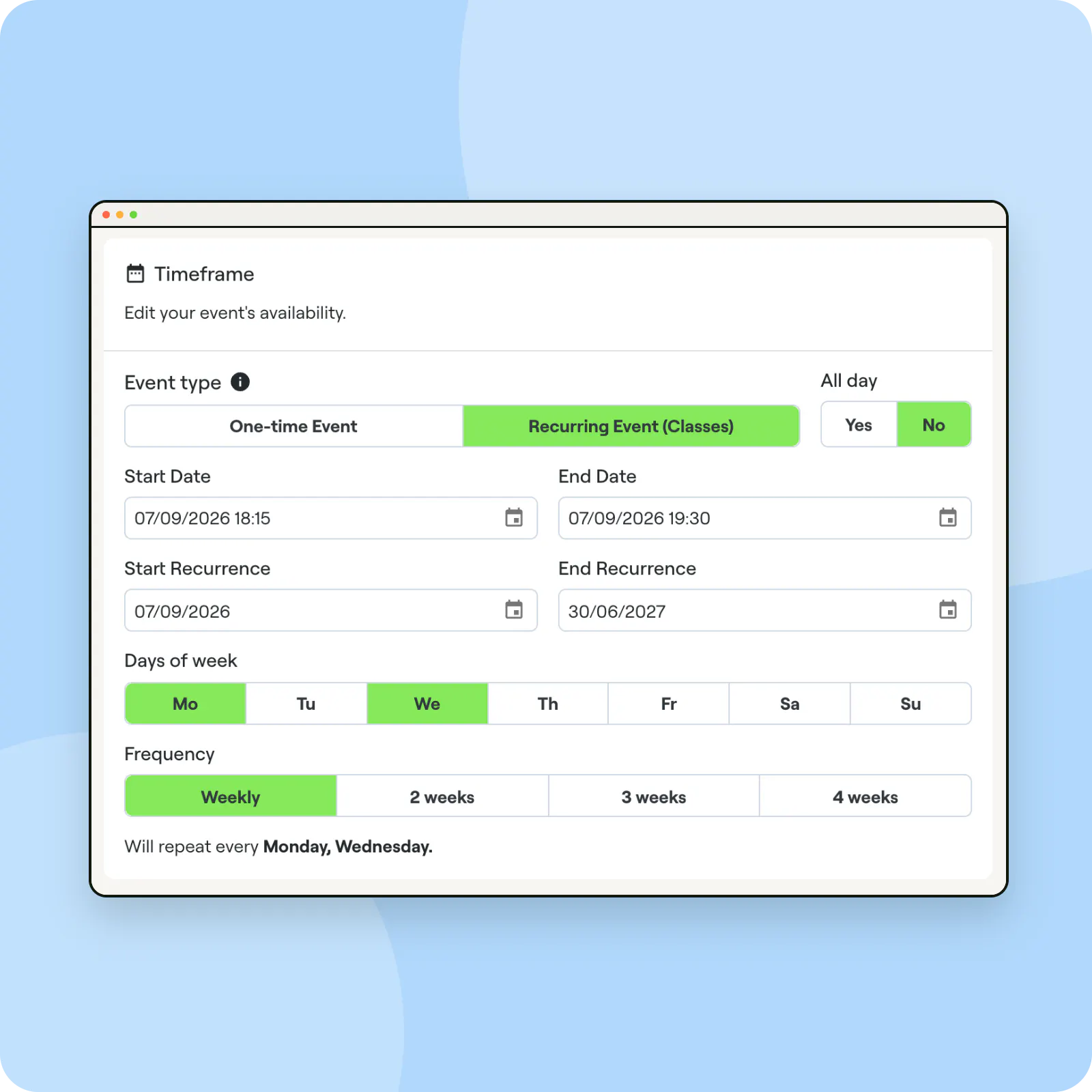
Under Timeframe, choose Recurring Event (Classes). Set the first class's Start Date and End Date, which also set the start and end time.
Set Start Recurrence and End Recurrence to the first and last day of the term, pick the Days of week, and choose a Frequency: weekly or every 2, 3 or 4 weeks.
3. Set price, capacity and look
On the Payments tab, set the drop-in Price and the Class capacity, and decide whether students book in advance; see booking rules. On Customization, add an Event Cover, an optional video and an Event color. Click Save.
Always set an end of recurrence
Term enrolment only works for recurring classes with an End Recurrence, so set it even if you plan to extend the class later.
Build the timetable once
Copy a class with Add a copy to create the next level in seconds, and export the week as a PDF for your noticeboard.
Frequently asked questions
What is the difference between a recurring and a one-time event?
Recurring events are your weekly classes and are covered by memberships. One-time events suit workshops, rehearsals or open days.
How do I cancel one date of a recurring class?
Use Time off or the instructor's monthly schedule to close that date; the rest of the series stays as it is.


