


How to add dance instructors and assign them to classes
Each instructor in Stepsi has a profile, a set of classes and a monthly schedule. This tutorial shows how to add teachers, assign classes and keep track of who teaches when.

Knowing who teaches which class, and who is away next week, is half of running a timetable. Stepsi keeps it in the Instructors tab of your calendar.
1. Add an instructor
Go to Calendar, open the Instructors tab and click Add instructor. Pick someone From members, or choose New person and enter their name and email; the account details are emailed to them.
Add a Speciality, such as the styles they teach or their qualifications. It is shown next to their name.
2. Assign their classes
Open the instructor and click Assign classes, or pick instructors directly in each class's Instructors field. The Instructors list then shows each teacher's classes, weekly hours and next class.
3. Use the monthly schedule
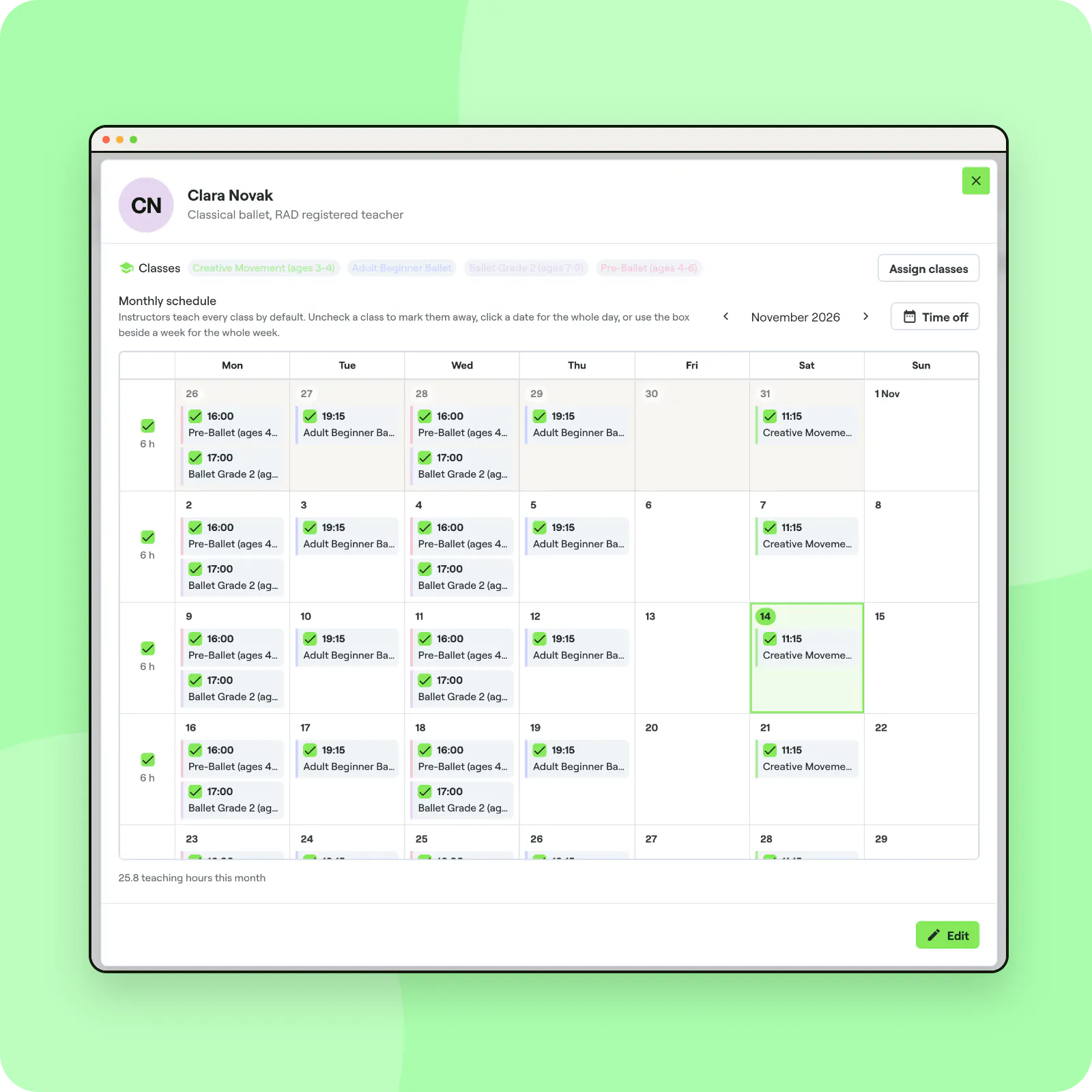
Click an instructor to open their Monthly schedule. Instructors teach every class by default: untick a class to mark them away, click a date to change the whole day, or use the box beside a week for the whole week.
The total of teaching hours for the month appears under the calendar, which helps when you prepare pay.
When nobody teaches
If the only instructor of a class is marked away, the class shows as Closed that day: nobody teaches it, so it is not held. A class taught by two instructors stays open.
4. Give the right dashboard access
Instructors get a member account with staff rights. Decide what they can see and change in Staff, for example only their own classes; see staff permissions.
Cover changes without the scramble
With every teacher's classes and absences in one place, you can spot gaps early and find cover before families are affected.
Frequently asked questions
Can an instructor teach in several calendars?
Yes. Instructors are assigned per class, so they can teach in any calendar or location.
What happens to a removed instructor's classes?
They are unassigned from every class, but their member account stays.


