


Dance studio registration, done before the first class
Dancers and parents join your studio in the Stepsi app or on your website with your 6-letter studio code. They fill in what you ask for, sign your agreements and pay for a membership on their own, then arrive in your dashboard with their family, groups and history already in place.
Get started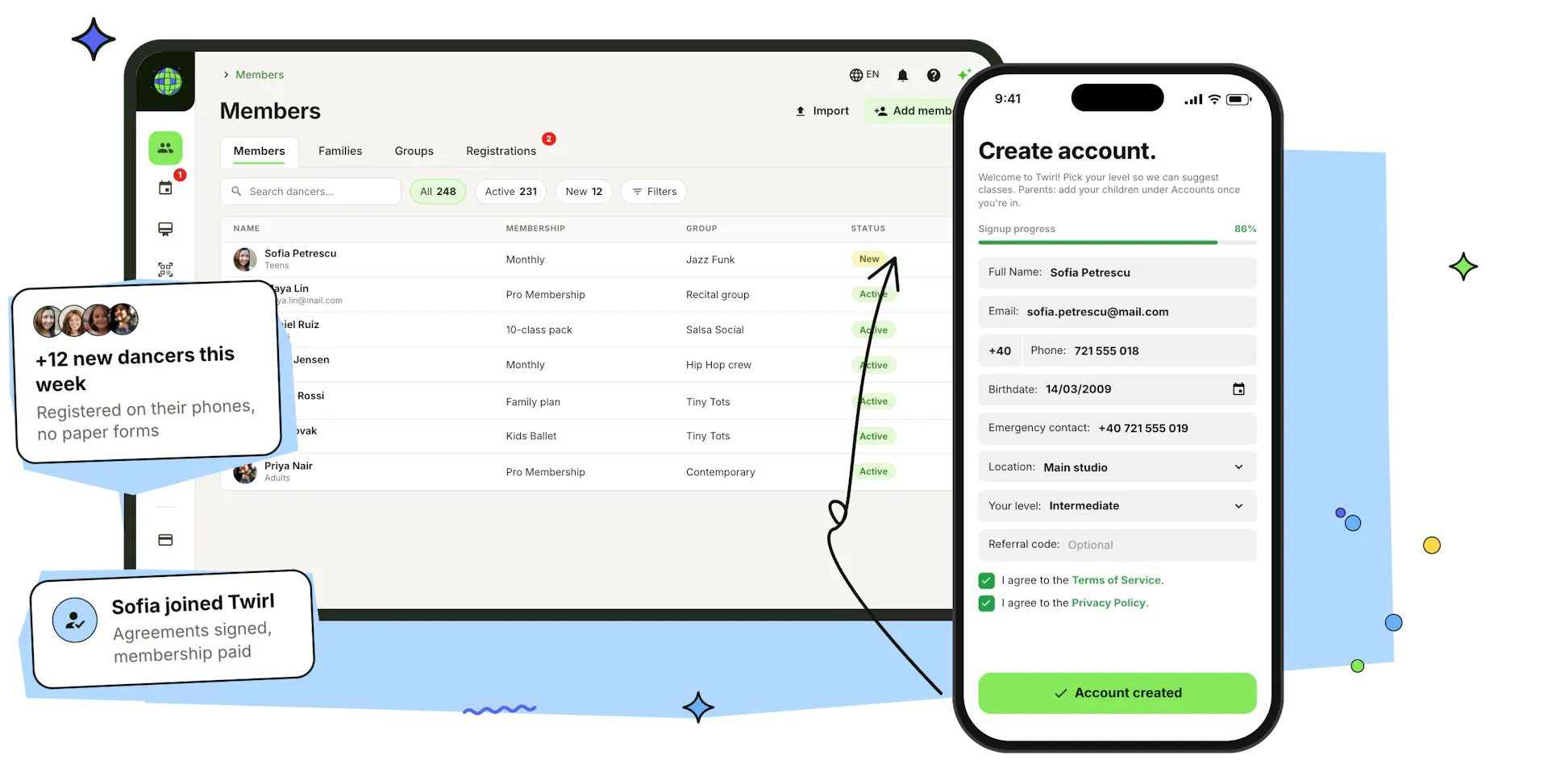
Every new dancer registers the same way
No paper forms at the front desk and no spreadsheets to retype. Share your code, decide what you need to know, and let families finish registration on their own phones.
Join with your 6-letter studio code
Your studio gets its own 6-letter code. Share it with a join link by WhatsApp, Facebook or email, or put it on a poster at the front desk. Dancers enter it in the Stepsi app, and anyone who already has a Stepsi account at another studio confirms their email with a 6-digit code and keeps the same login.
How to invite studentsAsk for exactly what you need
Choose what new members must fill in: gender, address, phone, date of birth, the location they train at and fields of your own, like an emergency contact. Ask them to pick their level or age group, add a few lines of instructions and check the form in a live phone preview. Turn on approval and new accounts wait for your OK before they can book or buy.
Agreements signed at sign-up
Add your terms, waivers or photo consent as a PDF or as written text. Require a signature or let members agree or decline, and ask everyone or only chosen groups. New members answer in the app as they join, you see who signed, declined or hasn't answered yet, and a new version asks everyone to sign again.
Booked and paid before they arrive
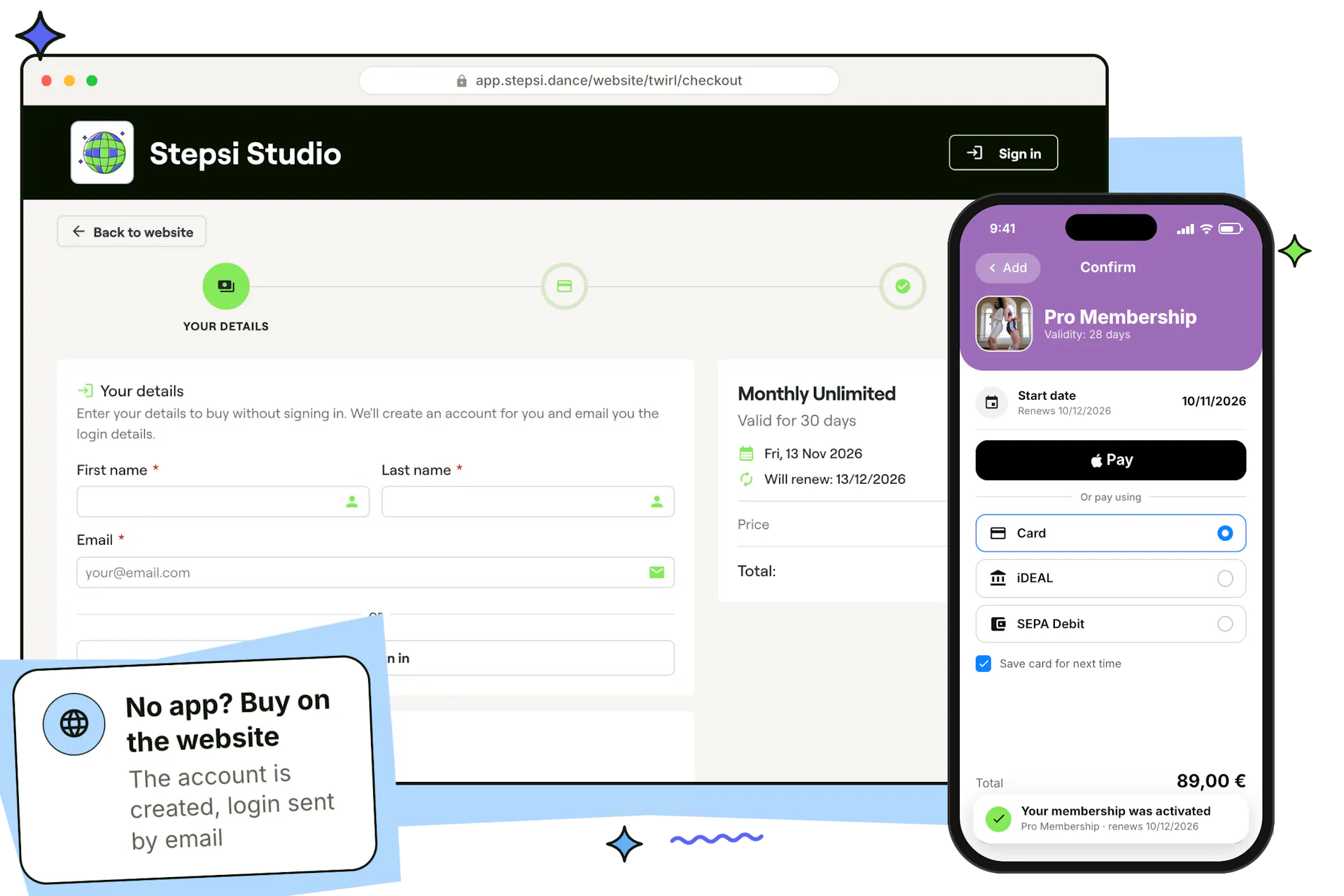
Straight after registering, dancers can buy a membership or class pack with Apple Pay, Google Pay or card and book their first class. No app? Families can create an account on your studio's website, or buy as a guest and get their login by email.
Explore payment plansSwitching software? Bring your members with you
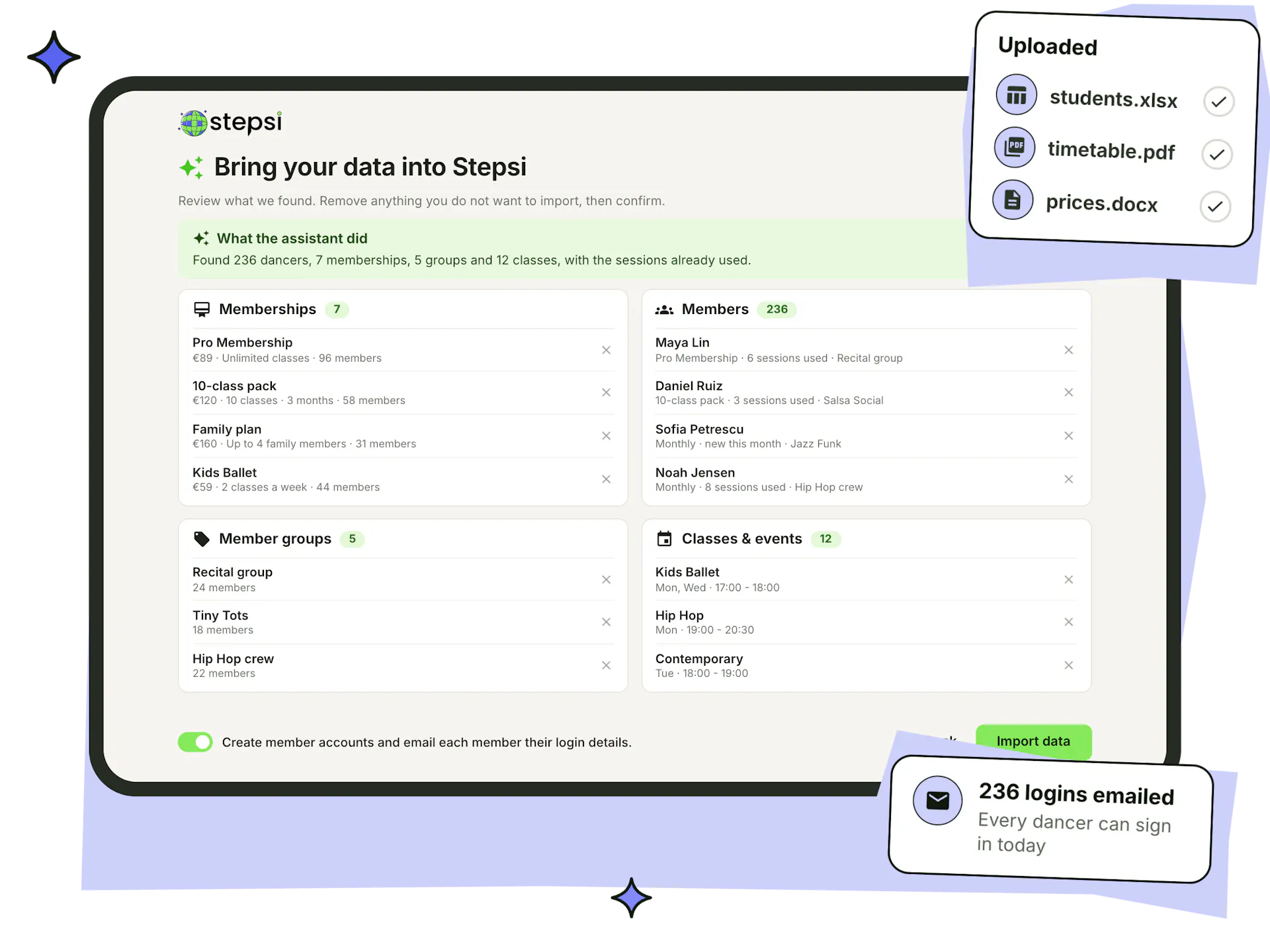
Paste your lists or upload up to five files from your old system: CSV, Excel, Word, PDF or plain text. The AI assistant finds your members, memberships, member groups and classes, including the sessions each member has already used, and shows you everything before anything is created.
- Tell the assistant what to do in plain words, such as which plans already exist
- Remove anything you don't want before you import
- Create member accounts and email everyone their login, or import them as leads
- Start it right after signing up, or any time from the AI button in your dashboard
One login for the whole family
Parents add each child as an account under their own login and switch between them in the app to book, pay and check in. Every child keeps their own memberships, classes and attendance, while payments for child accounts are invoiced to the parent.
- Child accounts for children, sub-accounts for partners or other adults
- An identifier tells two accounts with the same name apart
- Family and couple memberships cover several members with one plan
- Parents check a child in by picking them at the door
See how Mia Studio runs a multi-activity children's studio with family accounts.
For children's dance schools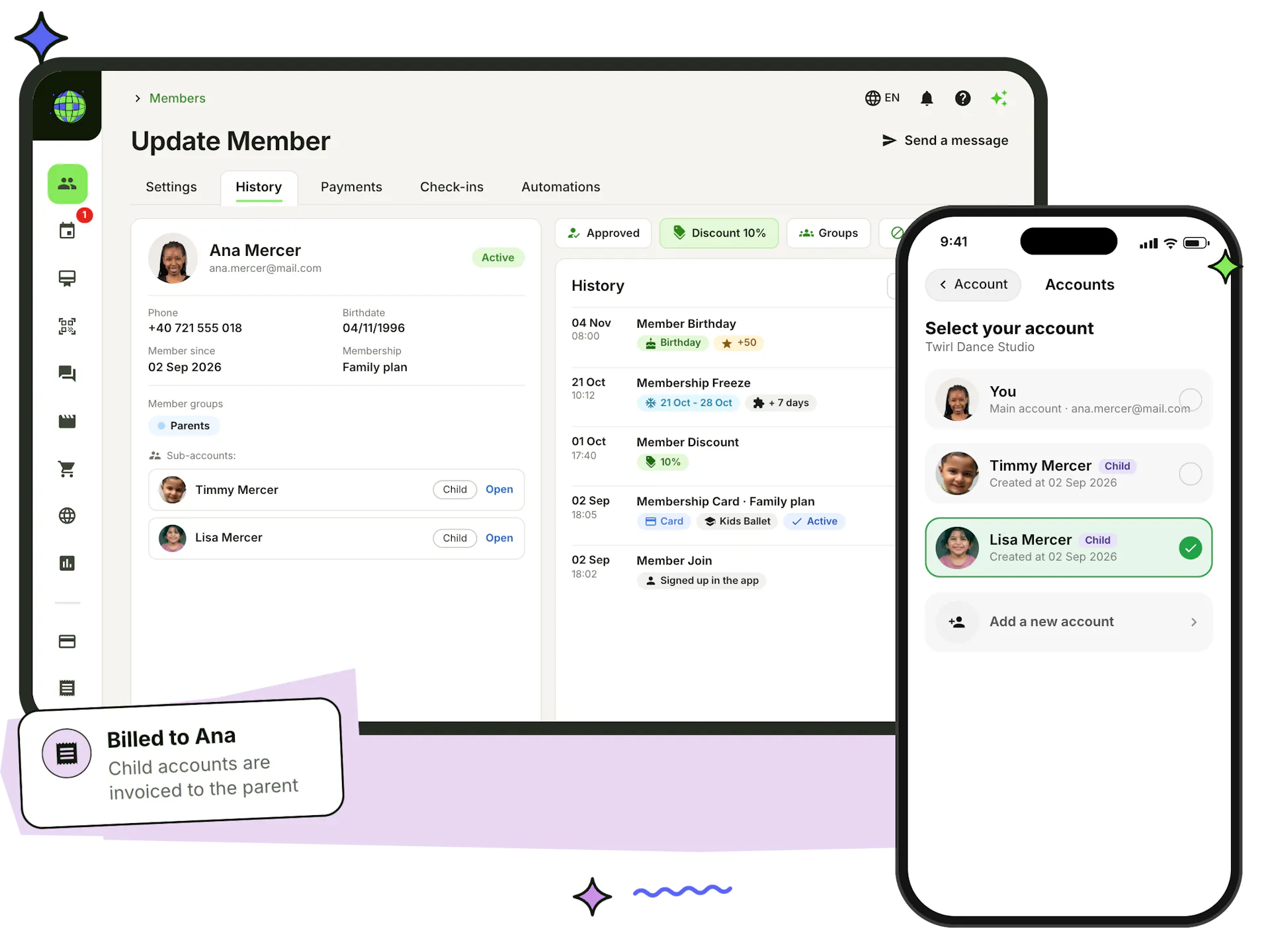
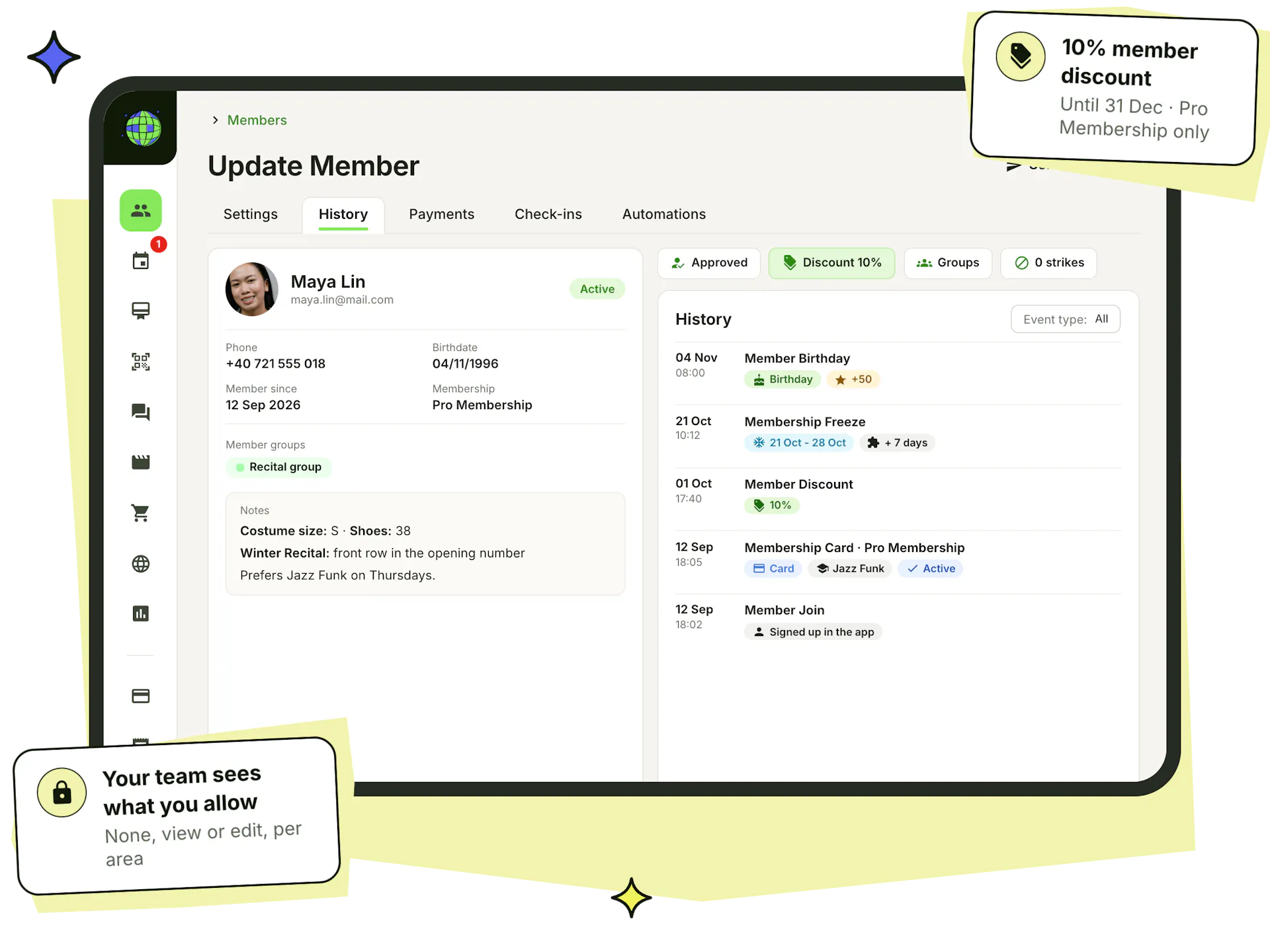
Every dancer's history on one page
Open any member to see their contact details, photo, member groups and family accounts, with notes your team can read, from costume sizes to allergies. A timeline records when they joined, what they bought, every freeze, extension and discount, and their birthday, and their payments, check-ins and automations each have a tab.
- Add a member yourself at the front desk, with a membership paid by card, cash or transfer
- Personal discounts, percentage or fixed, for set dates and chosen memberships or classes
- Approve new members, set a password or reset no-show strikes
- Staff see only the areas their rights allow: none, view or edit
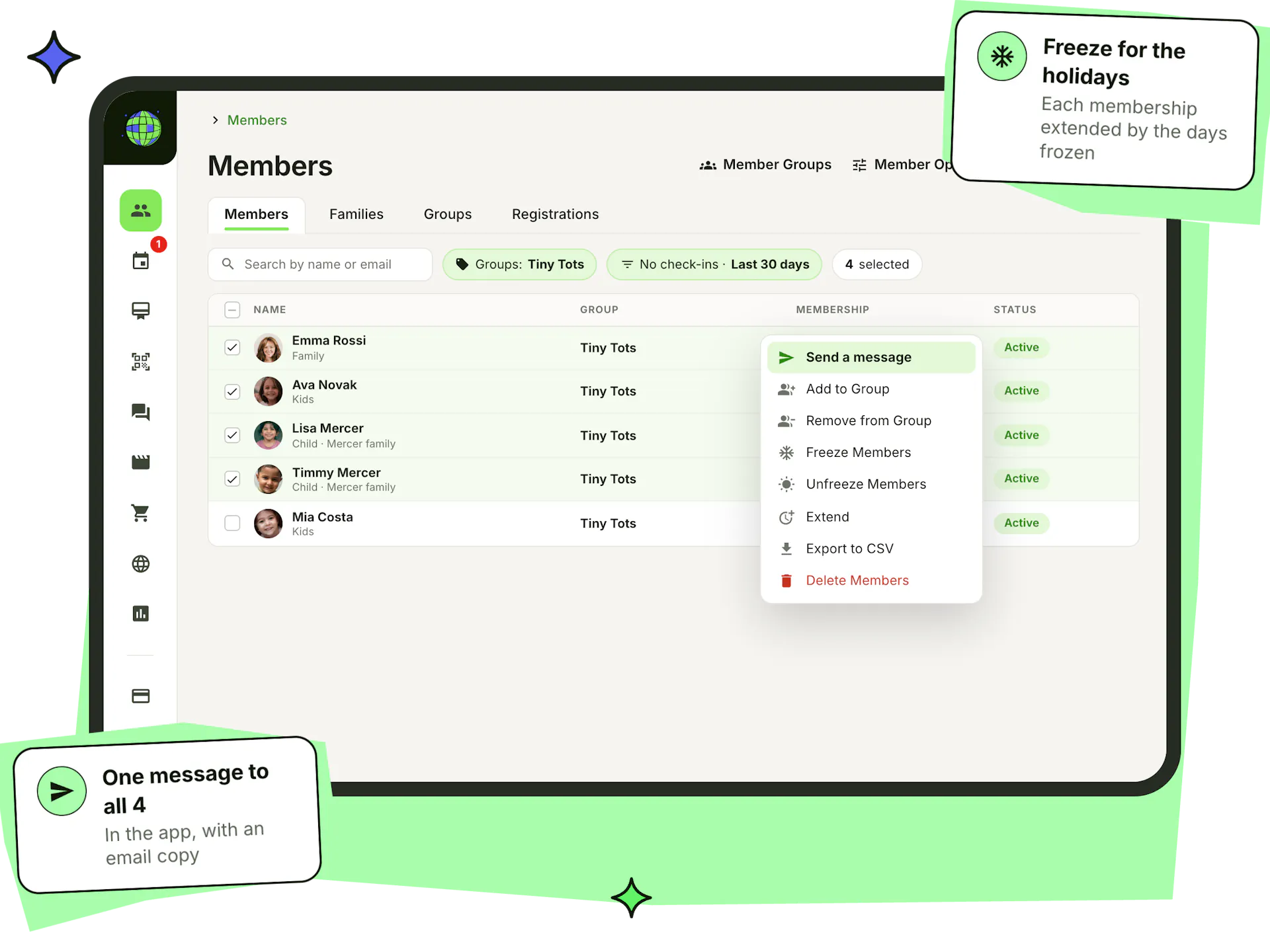
Find any group of dancers in seconds
Search by name or email, filter by member group, membership, class, status or account type, or find members with no bookings or no check-ins in the last 30 days. Your filters stay as you left them. Then select who you need and act on all of them at once.
- Coloured member groups for levels, ages, teams or locations
- Groups decide who sees a membership, product, video or agreement, and who gets a message
- Message, add to or remove from a group, freeze, unfreeze, extend, export or delete in bulk
- Spreadsheet exports with the columns you pick, grouped by class, membership or member group
Everything that turns new members into regulars
Registration is only the first step. These tools keep new dancers coming back after their first class.
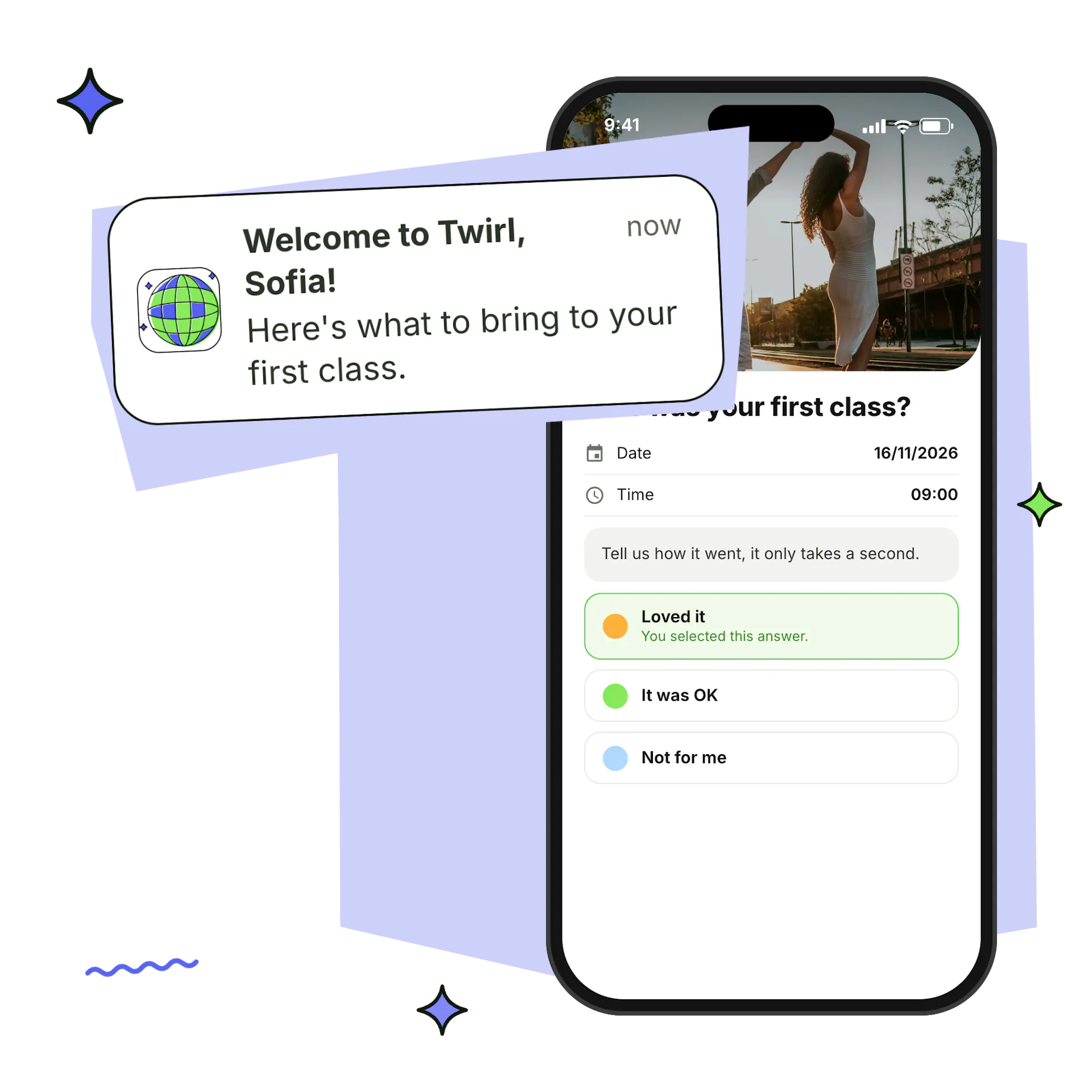
Welcome automations
Welcome every new member, ask how their first class went and follow up if they haven't bought a membership yet.
Automations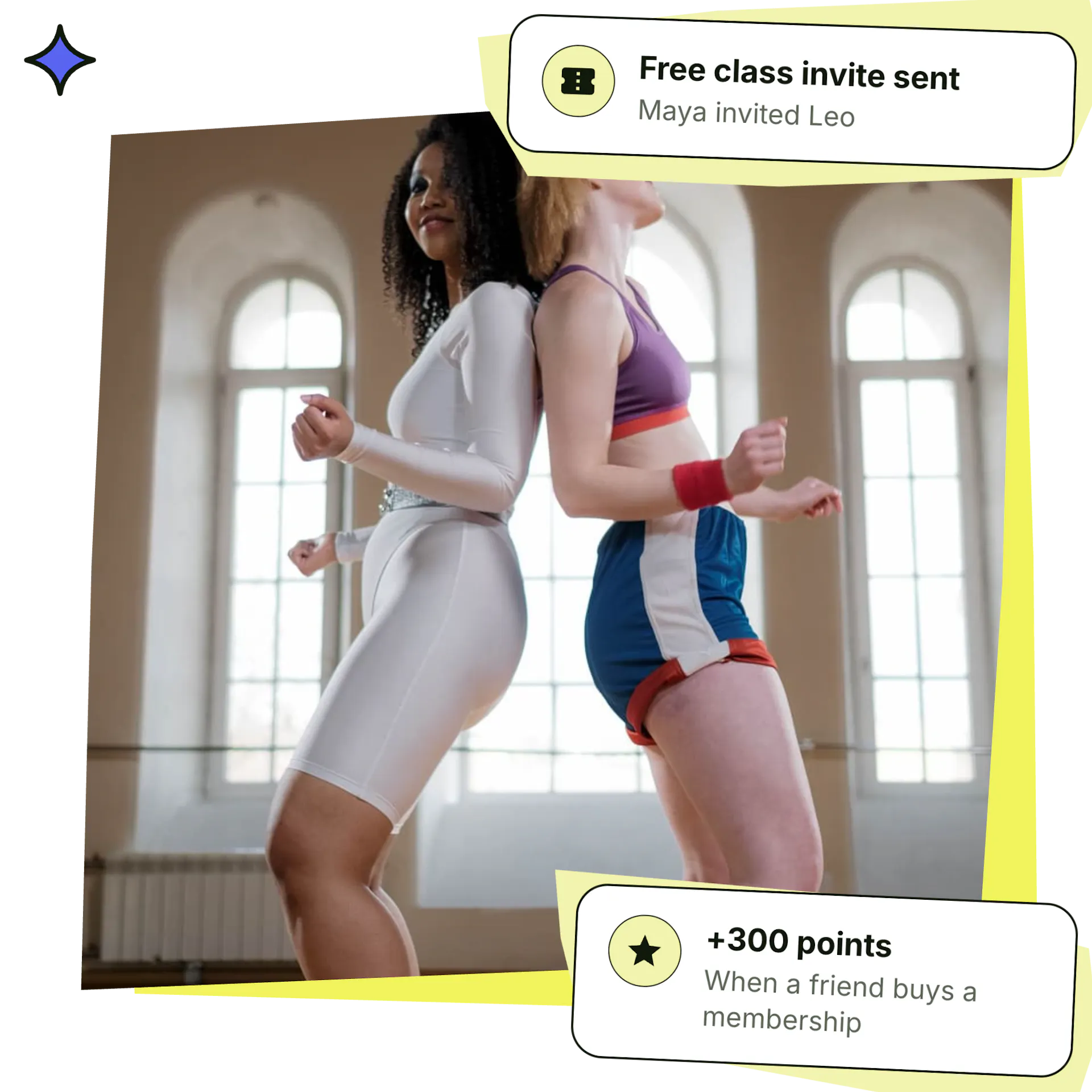
Bring-a-friend invites
Give members free class invites for their friends, and reward referrals with points they can spend on memberships.
Invites & rewards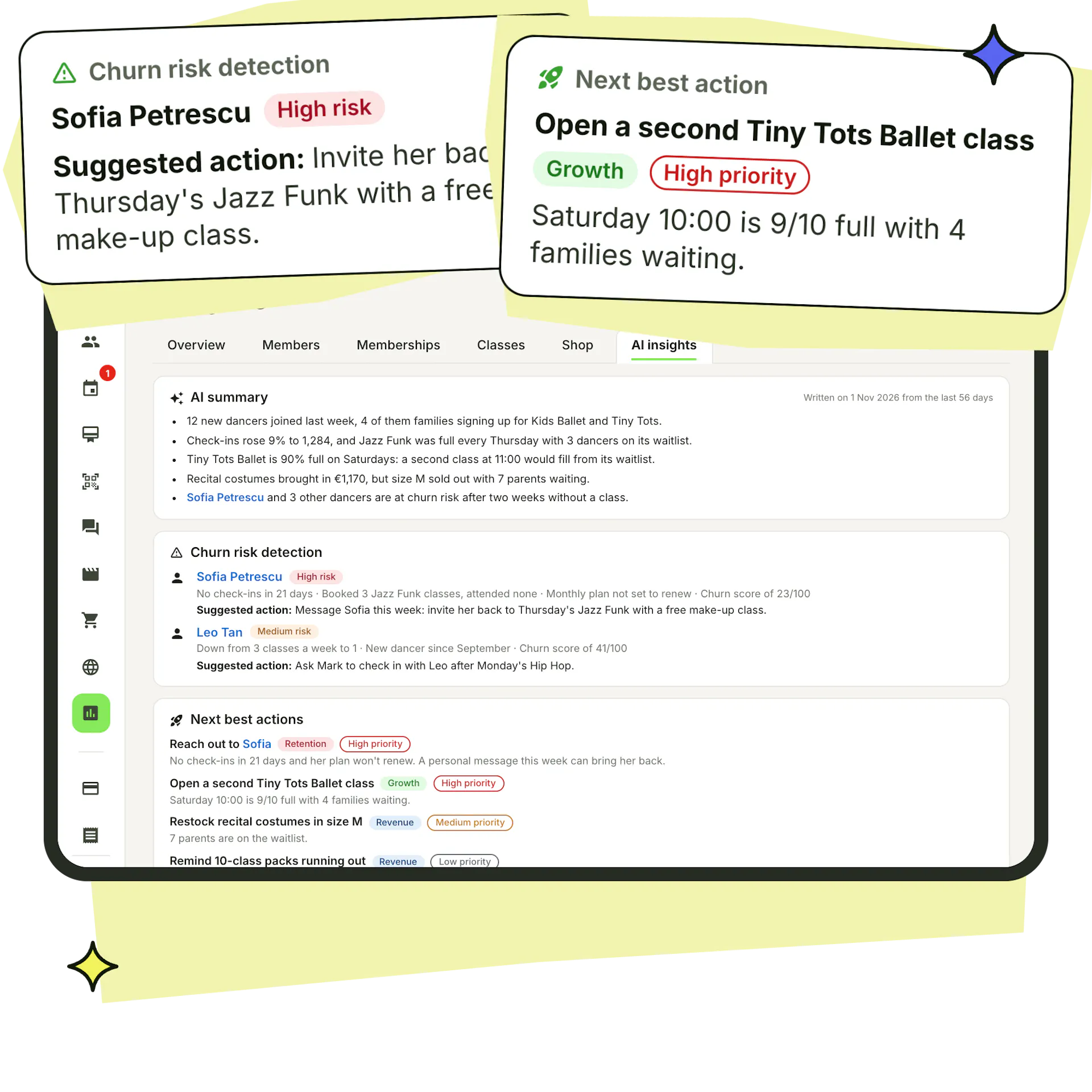
Spot dancers drifting away
Every member gets an engagement score and a churn risk, and monthly AI insights suggest who to contact.
Reduce dropouts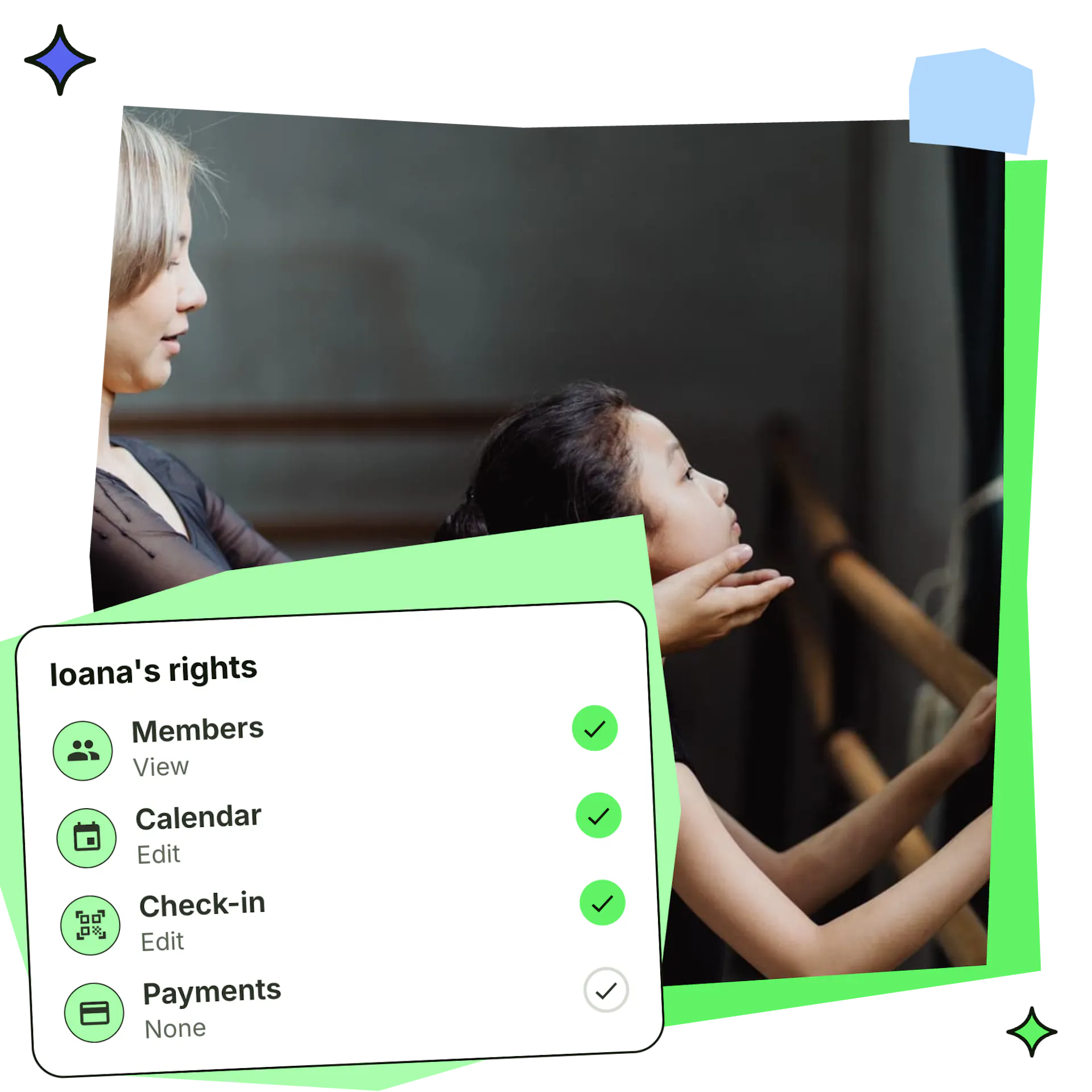
Staff rights
Give teachers and front-desk staff none, view or edit rights per area, or limit them to their own classes.
Set up staffChoose Stepsi for an industry-leading experience

Global dance studios supported.

Members onboarded.

Memberships sold.
Frequently asked questions
How do new students register with my dance studio?
They download the Stepsi app, enter your studio's 6-letter code and fill in your sign-up form, or create an account on your studio's website. Share the code with a join link by WhatsApp, Facebook or email.
Can parents register several children with one login?
Yes. Parents add each child as a child account under their own login and switch between them in the app. Every child keeps their own classes and attendance, and payments for child accounts are invoiced to the parent.
Can I choose what information new members give at sign-up?
Yes. Make gender, address, phone, date of birth or location required, add fields of your own, ask members to choose their groups and write onboarding instructions. A live phone preview shows the form as members will see it.
Can members sign waivers and agreements when they register?
Yes. Add agreements as a PDF or written text, require a signature or let members agree or decline, and ask all members or chosen groups. You see who signed, declined or hasn't answered, and can add the answers to your member export.
Can I approve new members before they book classes?
Yes. Turn on sign-up approval and new members can't book or buy until someone on your team approves them in the dashboard.
Can I import my students from my current software or a spreadsheet?
Yes. Paste your lists or upload up to five files (CSV, Excel, Word, PDF or text) and the AI assistant sets up your members, memberships, groups and classes. You review everything before importing and can email each member their login.
Can I register a student myself at the front desk?
Yes. Add a member from the dashboard with their contact details and notes, then give them a membership paid by card, cash or bank transfer.
Do past students count towards my Stepsi plan?
No. Plans count active members only: those who bought a membership, a class registration or a class entrance in the last 30 days. Past students and leads can stay on file.
Which languages is the member app available in?
The Stepsi app and dashboard are available in English, Romanian, Spanish, French, Italian, Dutch, German and Polish.
Open registration for your studio today
Create your studio, bring your members over with the AI assistant and share your code. Your first families can register today.
Create your free account
Sign up and choose the 6-letter code your members will use to join.
Bring your members over
Import your lists with the AI assistant or share your join link. Our team helps you set up.
Choose your plan
Pick the plan that fits your number of active members, paid monthly or yearly.