


Dance studio billing that runs itself
Sell memberships, class packs and term fees in the app and on your website, and let renewals charge saved cards on their own. Every payment, refund and invoice sits in one ledger with your cash and bank transfers, and your teachers get paid from the same place.
Get started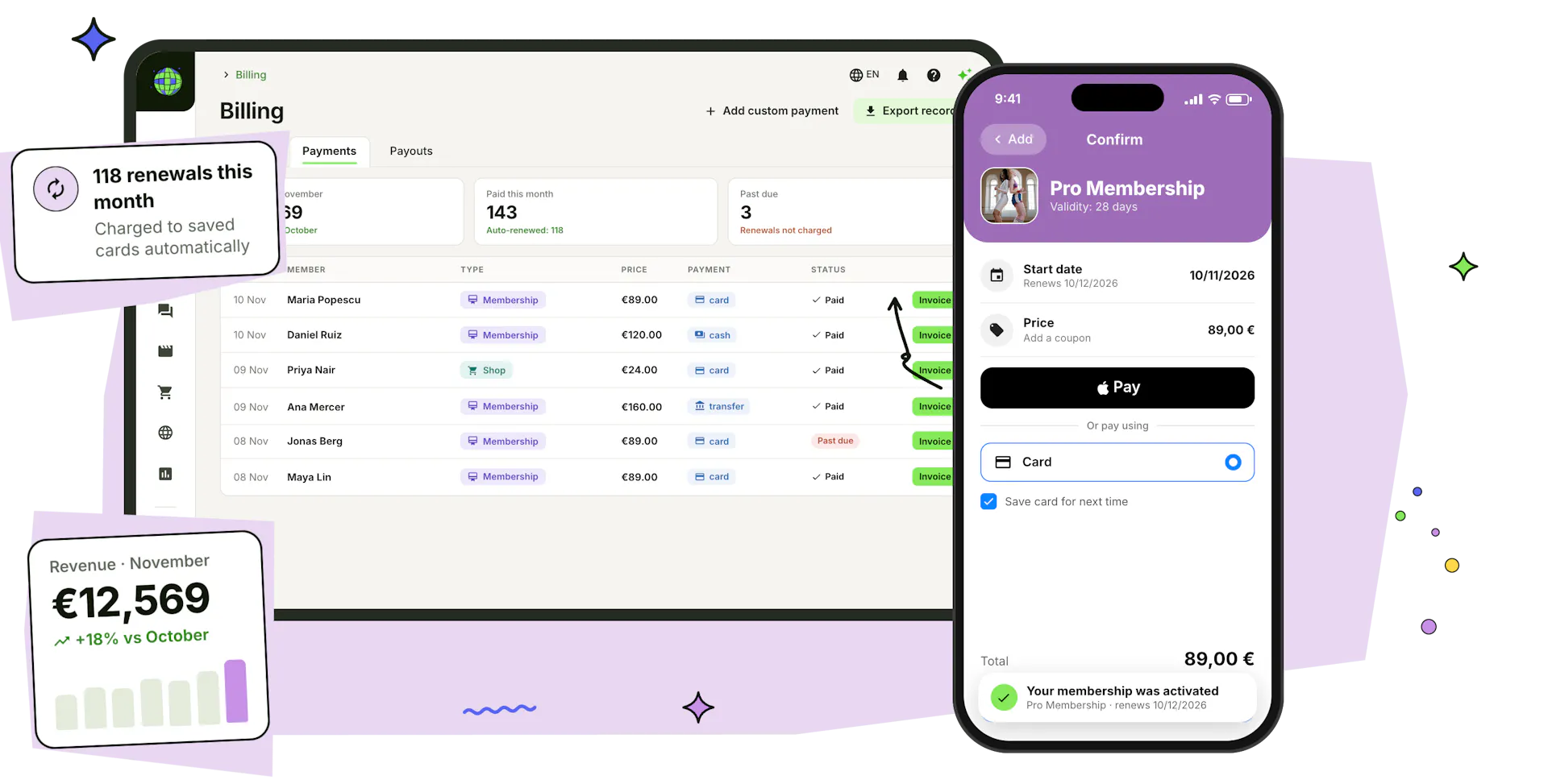
A price plan for every class you teach
Monthly memberships, class packs, term fees and drop-ins: set them up once, and dancers buy them in the app or on your website.
Memberships that renew on their own
Renew every month on a fixed day or every set number of days, charged to the dancer's saved card. Decide whether renewal is always on, always off or the dancer's choice, limit sessions per period or per week, roll unused classes over, and add commitment and grace periods.
Set up recurring paymentsPackages and renewal discounts
Sell 3, 6 or 12 months at once at a price of their own, with the saving shown at checkout. Take a fixed amount off every automatic renewal to reward the dancers who stay, and when you change a dancer's plan, charge only the difference.
Family and couple memberships
Turn on family checkout and one membership is activated for two or more family members, each with their own account, paid in one go. Child accounts are invoiced to the parent.
Pay how they like
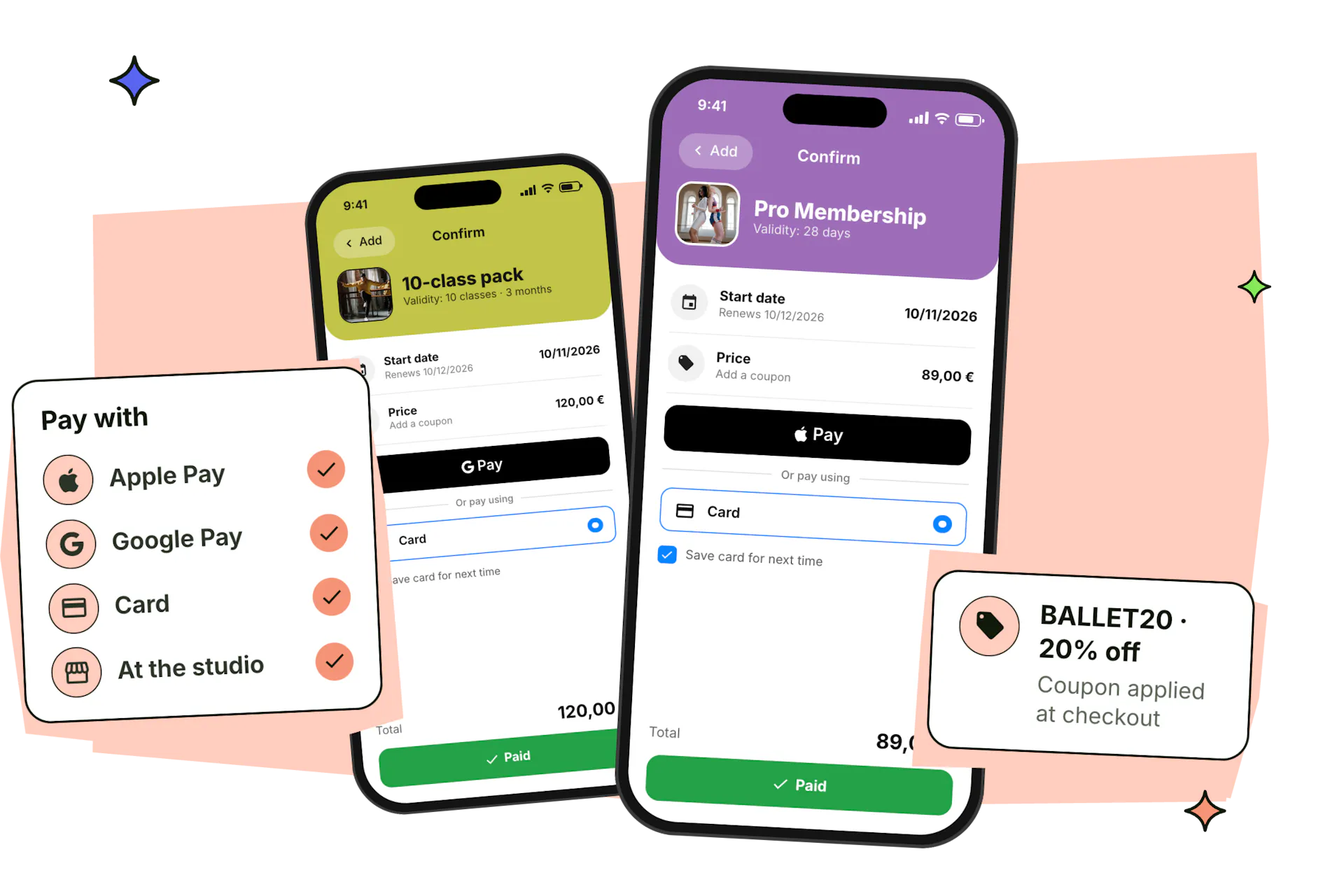
Apple Pay, Google Pay, cards and the local payment methods Stripe supports, in the app and on your website, with processing fees included in the price or added on top. Dancers can also pay at the studio, use a coupon or their loyalty points, or buy as a guest without an account.
Accept online paymentsOne payment system for everything you sell
Memberships, term fees, class bookings, drop-ins, shop orders and paid videos all go through the same checkout, the same ledger and the same payouts, in the app and on your website.
Get started
Memberships
Monthly, unlimited or limited plans and class packs that renew on their own.

Term registrations
Weekly classes paid per term or per month, with commitment periods.

Bookings
Single classes and workshops paid when dancers book, or at the studio.

Single check-ins
Drop-ins paid at the door as dancers check in.

Online shop
Costumes, merch and recital tickets, with deposits and Wallet tickets.

Video gallery
Paid videos and video groups for practice at home.
Every payment in one ledger
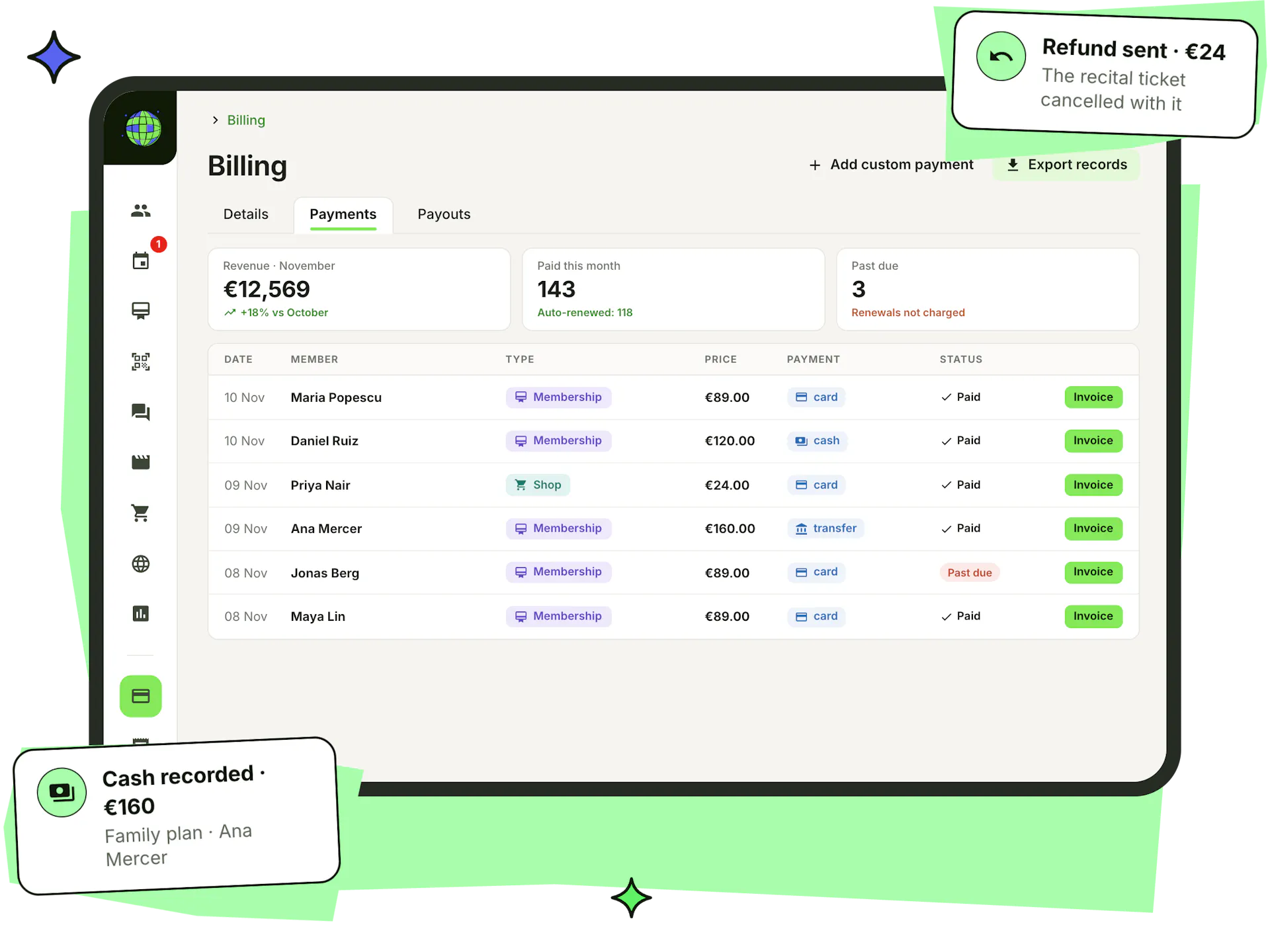
See every payment with its type, method and status, search by email and filter by type, product or date. Record cash, bank transfers and custom payments for people or companies, so the ledger matches what you actually took in.
- Refunds in full or in part, cancelling the tickets or items the payment covered
- Renewals that can't be charged show as past due, and check-ins wait until they're paid
- An invoice for every payment, ready to download
- Stripe payouts to your bank, tracked in the Payouts tab
One dancer, as many memberships as they need
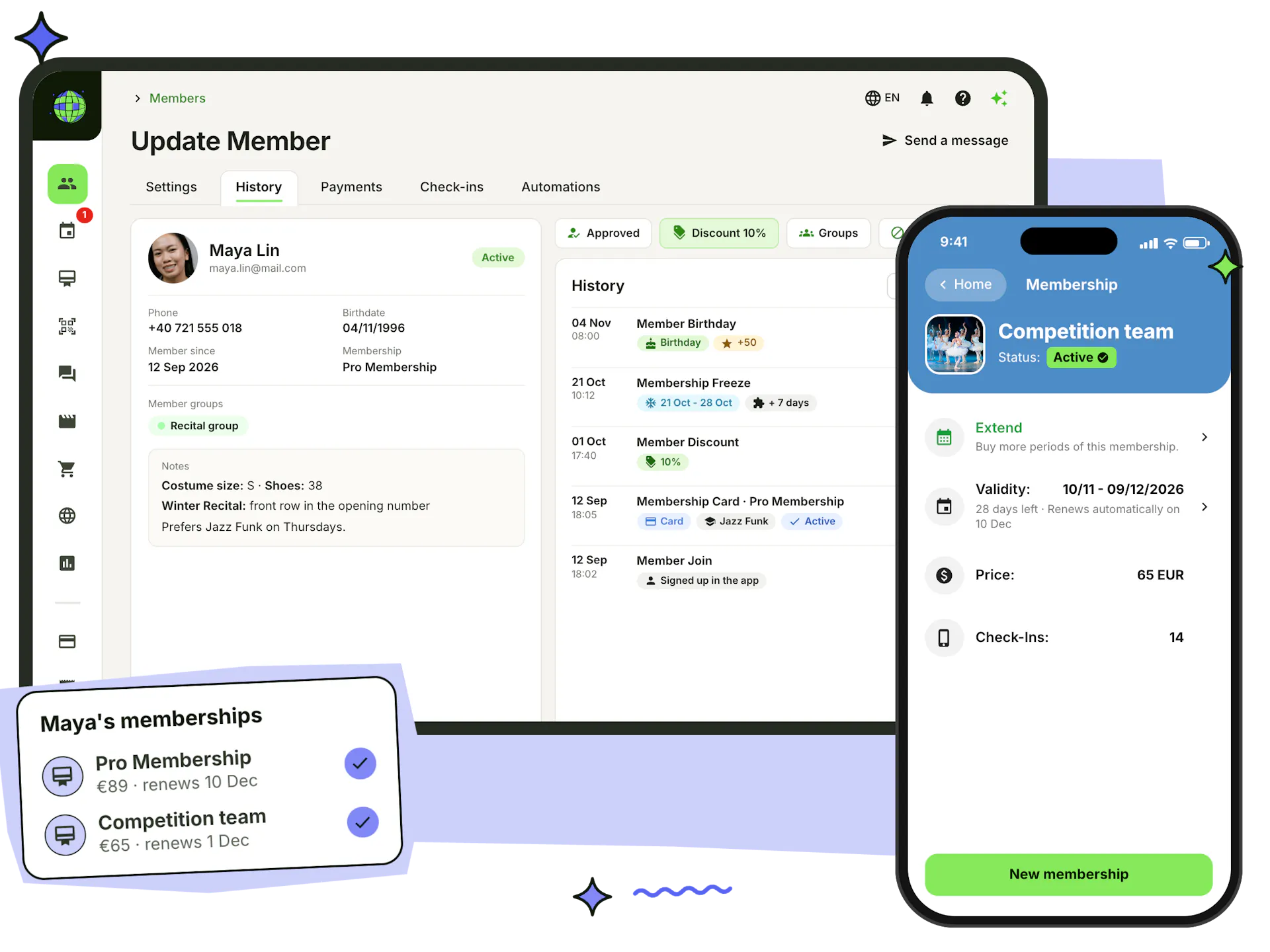
A dancer can hold a classes membership and a competition team fee at the same time, each billed, tracked and renewed on its own, so you never need a custom plan for every mix of activities.
- Unlimited, pack and one-time memberships side by side
- Each with its own renewal date, price and status
- Freeze or extend one without touching the others
- Plans limited to member groups, so only the team sees the team fee
Invoices without the paperwork
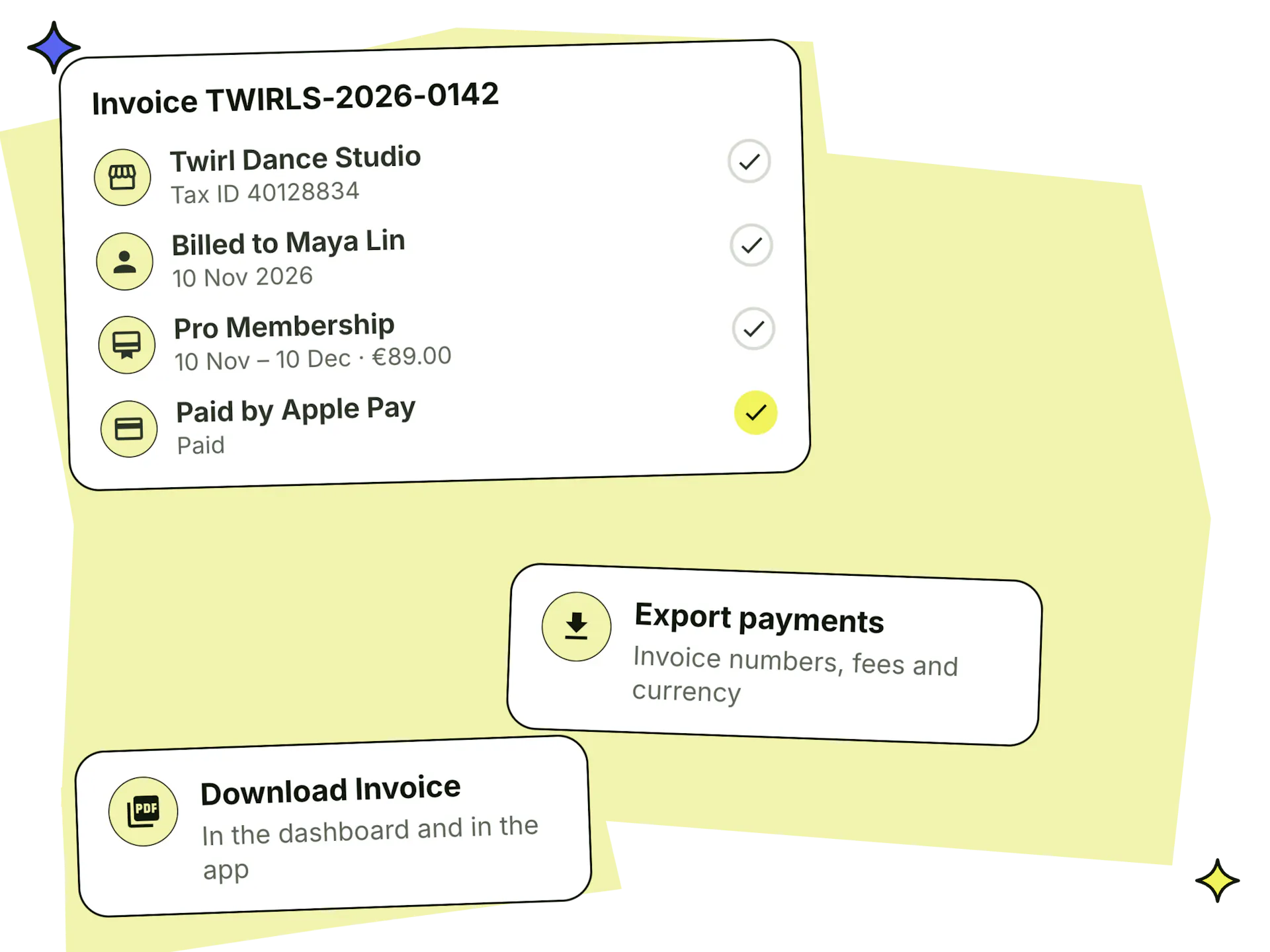
Add your organisation's legal name, address, tax ID and tax rate once, and every payment gets an invoice that dancers can download in the app and you can download from the dashboard.
- Extra details of your own on every invoice
- Payments from child accounts invoiced to the parent
- Shop orders invoiced from a separate organisation when you need one
- Payment exports with invoice numbers, fees and currency for your accountant
Pay your teachers from the same platform
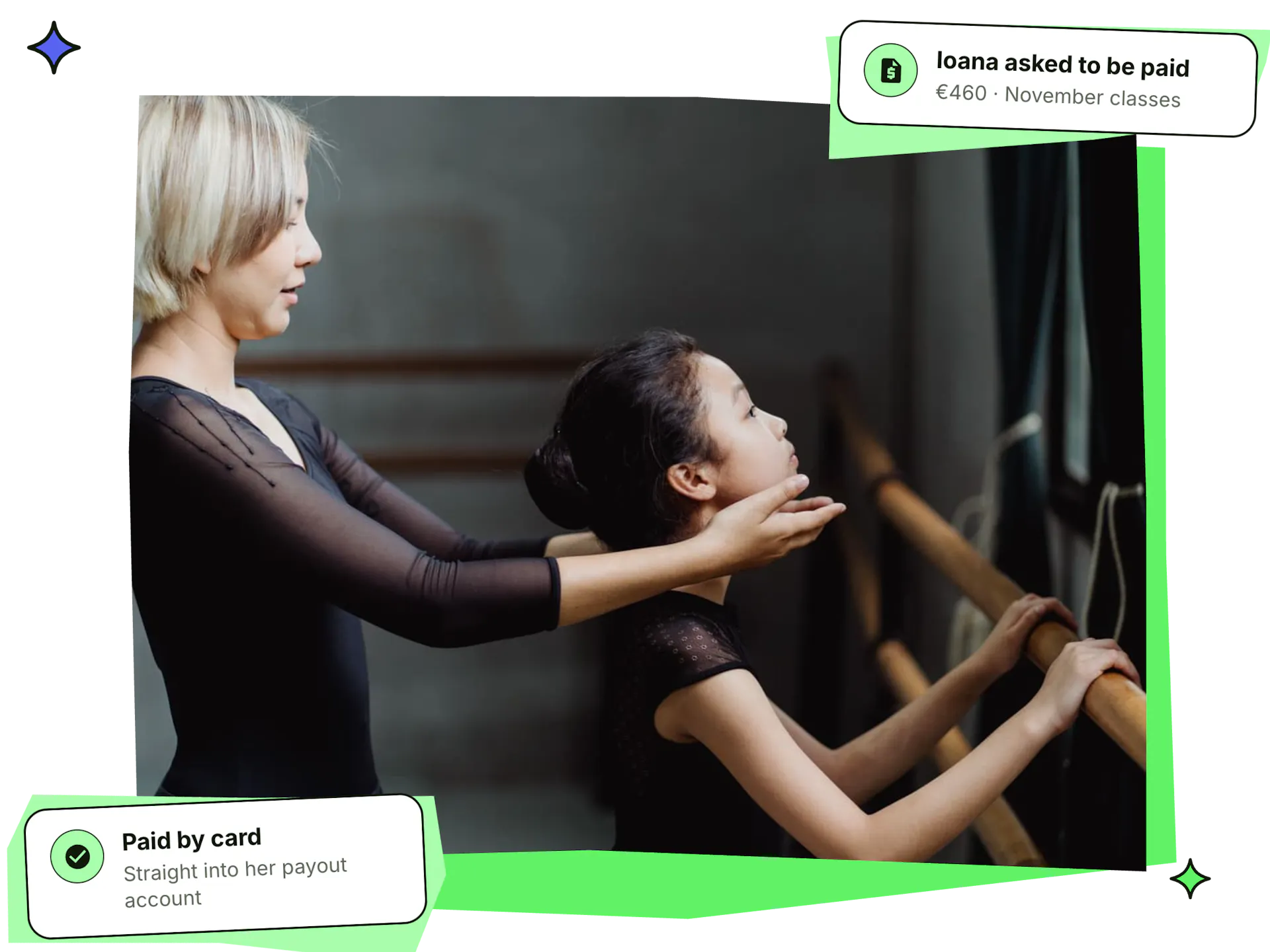
Teachers ask to be paid from their own Stepsi account and say what the payment is for. You see every request in the Payroll tab and pay it by bank transfer, or by card straight into the teacher's own Stripe payout account.
- Payout accounts for teachers paid as individuals or through a company
- Bank transfers marked as paid, card payments settled through an emailed invoice
- Payroll kept out of your revenue figures
Grow revenue, safely
Track what's coming in, reward the dancers who stay, and keep every payment secure.
Revenue analytics
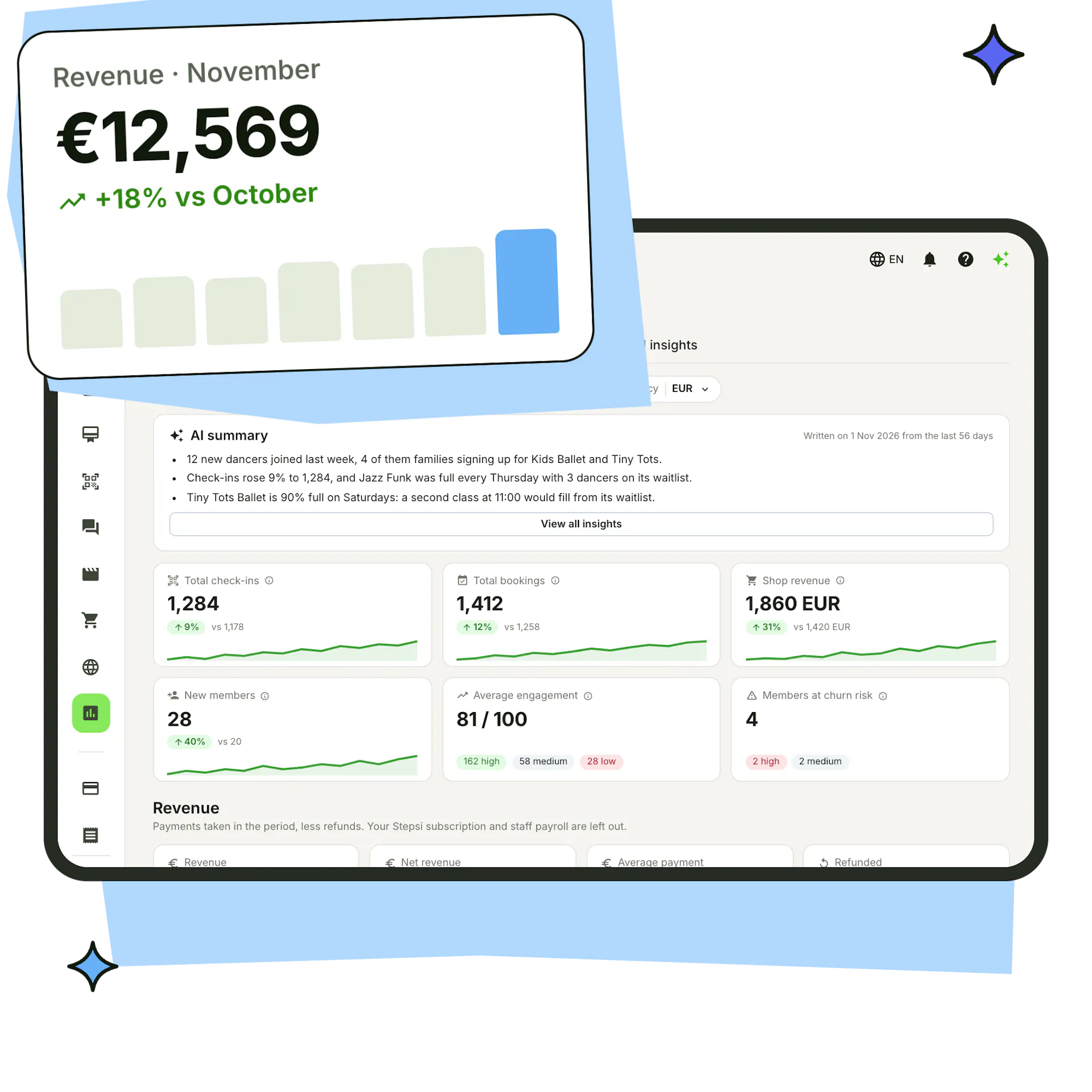
Revenue by class, teacher, calendar, method and source, compared with the last period, with monthly targets and a forecast.
Read your analytics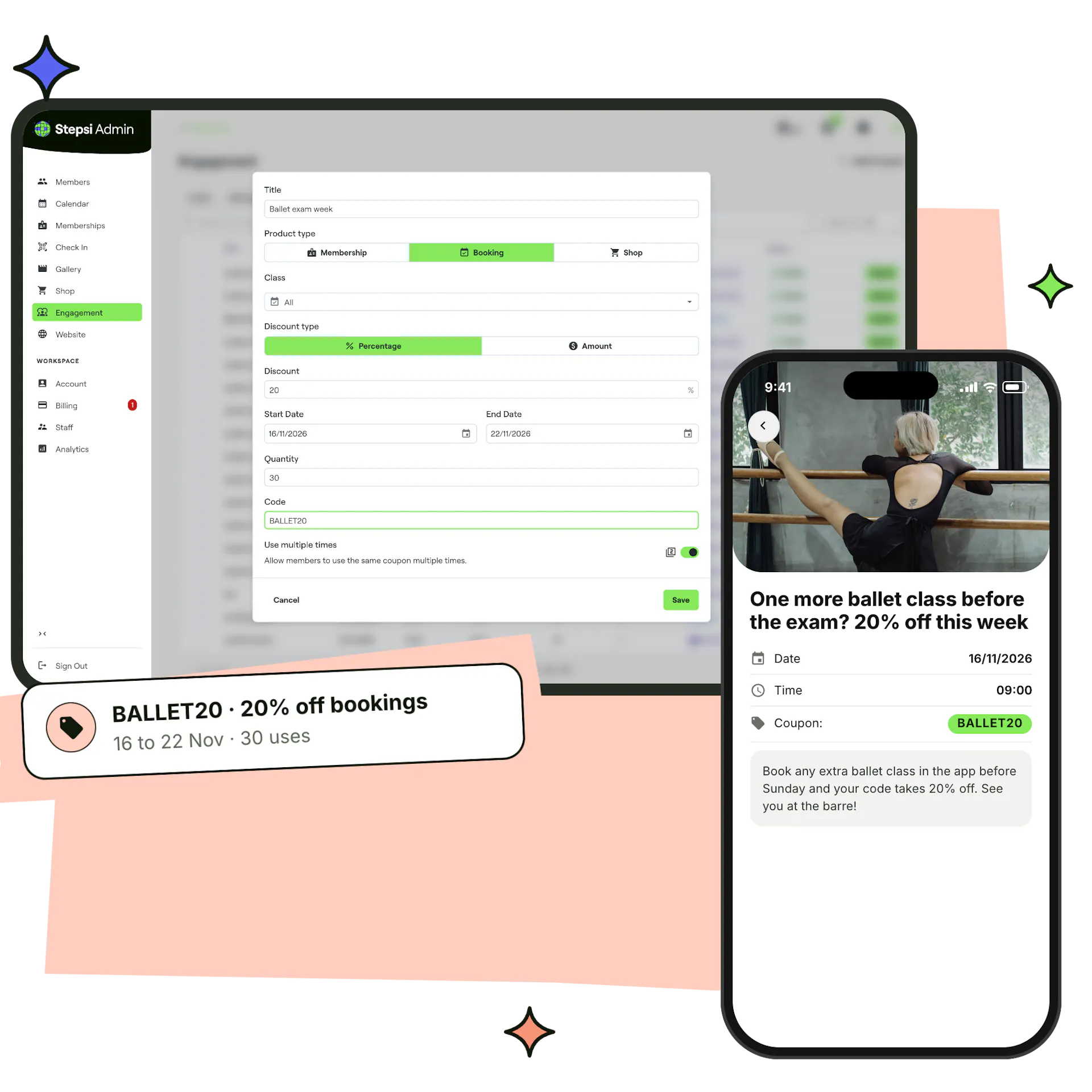
Coupons & discounts
Coupons for a percentage or a fixed amount with dates and usage limits, plus personal discounts for chosen dancers.
Coupons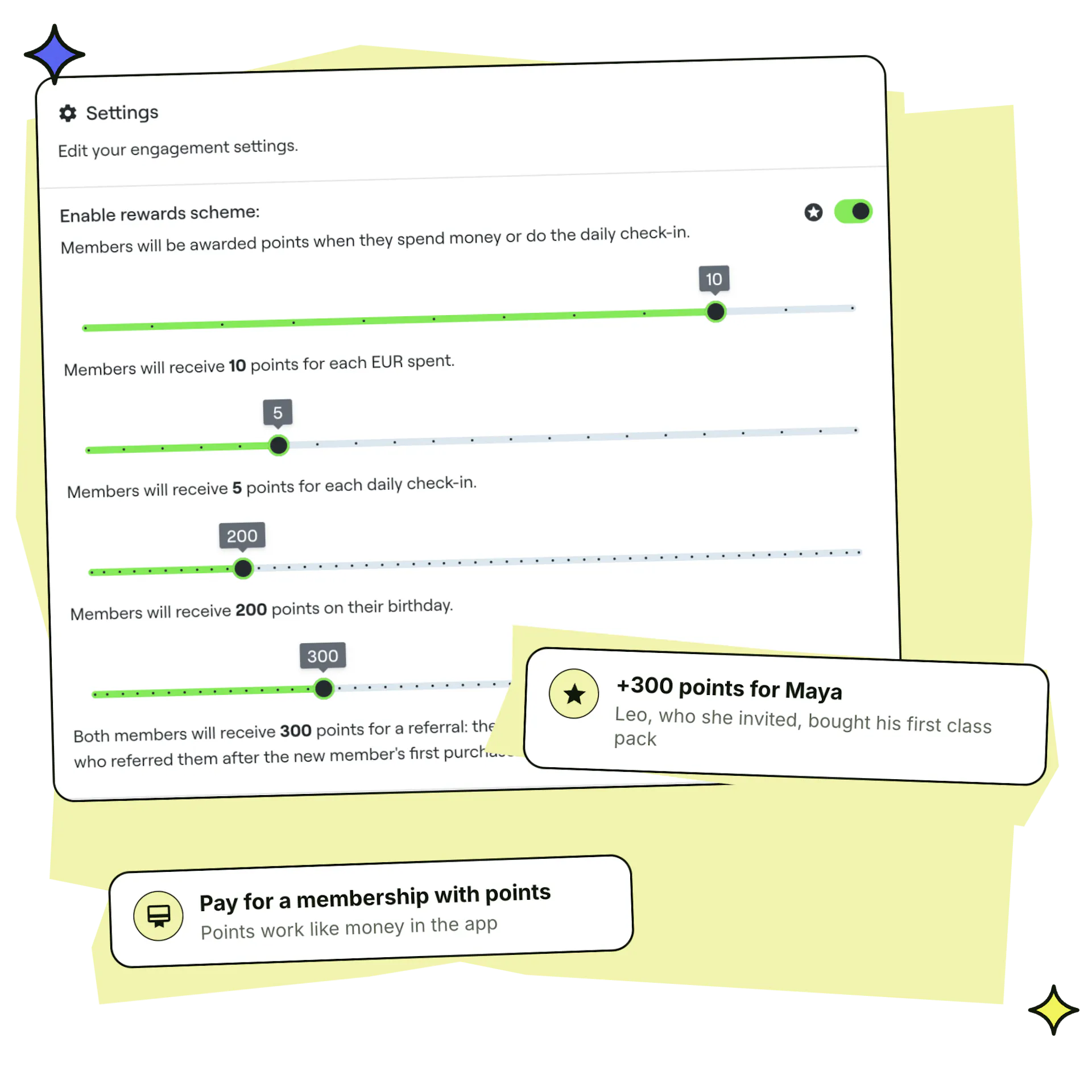
Points that pay
Dancers earn points for purchases, check-ins, birthdays and referrals, and spend them on memberships.
Rewards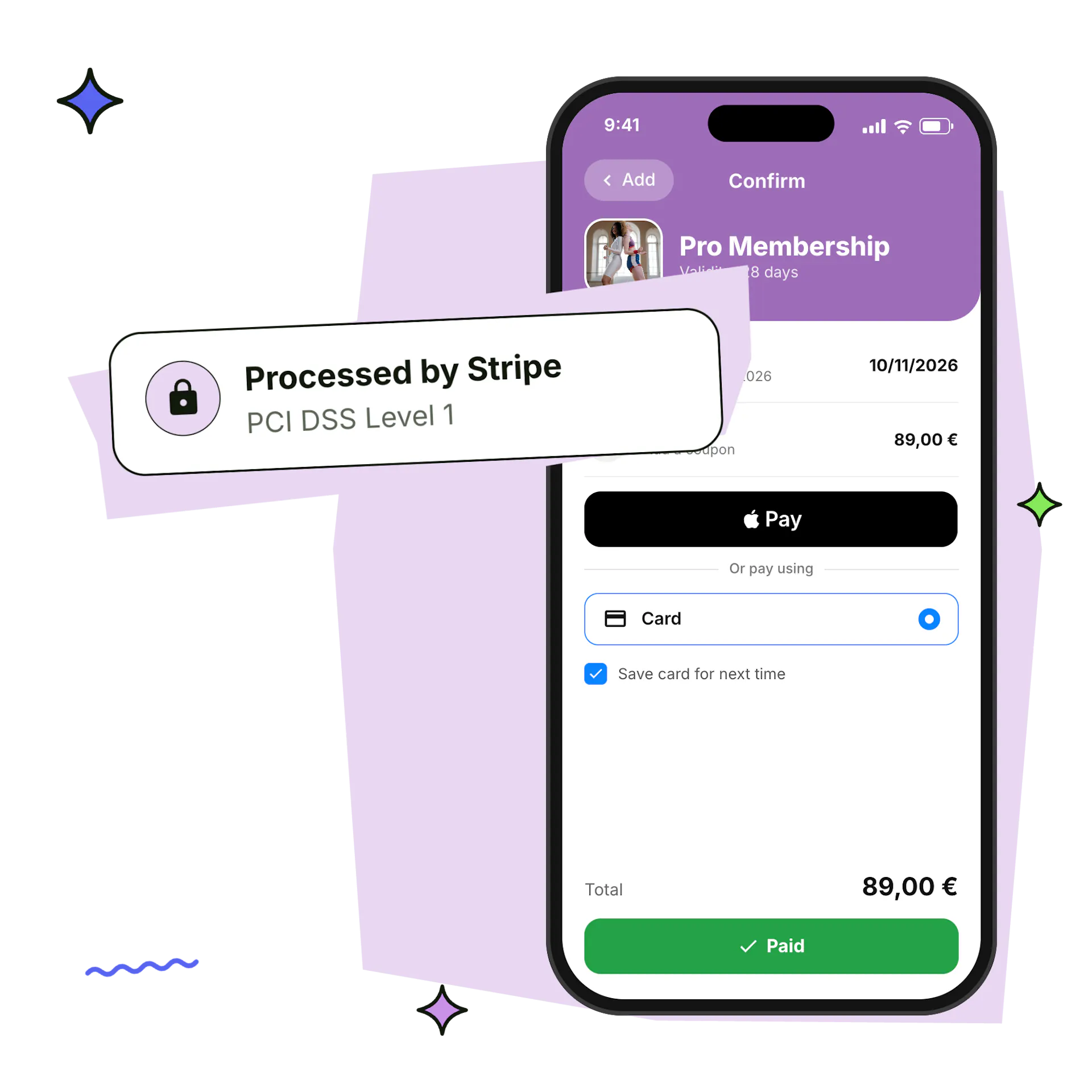
Secure by Stripe
Online payments are processed by Stripe, a PCI DSS Level 1 certified provider, so card details never pass through your studio.
Frequently asked questions
Can I take recurring payments for dance classes?
Yes. Memberships renew on their own every month on a fixed day or every set number of days, charging the dancer's saved card. You choose whether renewal is always on, always off or up to the dancer.
Which payment methods can dancers use?
Apple Pay, Google Pay, cards and the local payment methods Stripe supports in your country, in the app and on your website. You can also let them pay at the studio, record cash or bank transfers yourself, and accept loyalty points for memberships.
What happens if a renewal payment fails?
The membership is marked past due and the dancer's check-ins are declined until it's paid. You see it on the member's profile and in your payments, and can record the payment yourself when they pay at the studio.
Can I sell class packs and term fees as well as memberships?
Yes. Create packs with a set number of classes, term registrations for weekly classes with a price per period, and single drop-in classes, all paid through the same checkout.
Can families pay for several children at once?
Yes. With family checkout one membership is activated for two or more family members, and child accounts are invoiced to the parent.
Can I offer discounts?
Yes. Use coupons for a percentage or a fixed amount, personal member discounts for chosen dates and plans, renewal discounts for dancers who keep renewing, and packages of 3, 6 or 12 months at a price of their own.
Do dancers get invoices?
Yes. Every payment has an invoice with your organisation's legal details that dancers can download in the app and you can download from the dashboard. Your payment exports include the invoice numbers for your accountant.
How do I pay my teachers?
Teachers request payment from their own account, and you pay each request from the Payroll tab, by bank transfer or by card into their Stripe payout account.
How does the money reach my bank account?
Online payments go to your studio's own Stripe account and are paid out to your bank. You can follow every payout in the Payouts tab.
Are payments secure?
Yes. Online payments are processed by Stripe, a PCI DSS Level 1 certified payment provider, so card details never pass through your studio.
Get paid on time, every month
Set up your plans, connect Stripe and let renewals, invoices and payouts run on their own.
Create your free account
Sign up and choose the 6-letter code your dancers will use to join.
Connect Stripe
Finish your Stripe onboarding to take online payments and get paid out to your bank. Our team helps you set up.
Choose your plan
Pick the plan that fits your number of active members, paid monthly or yearly.