


Dance class scheduling that keeps every class full
Plan your weekly timetable once and Stepsi runs it all term. Dancers book, register for the term or drop in from the app and your website, waitlists refill the spots that open up, and your teachers, rooms and holidays stay in one calendar.
Get started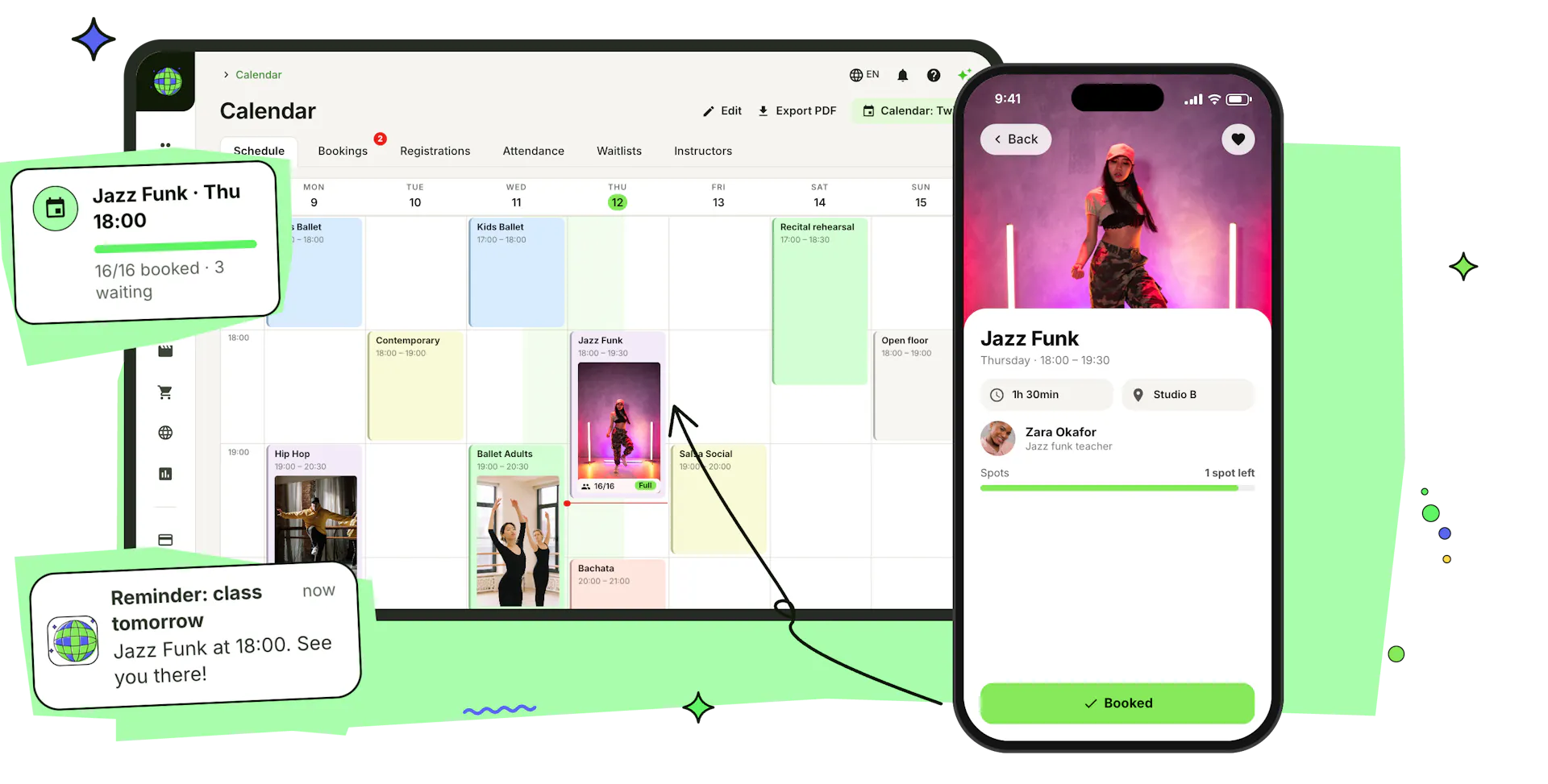
Set up your timetable once, run it all term
Build the week on one calendar, decide how dancers get into each class, and publish it to the app and your website at the same time.
Weekly classes in a few clicks
Create one-time workshops or recurring classes that repeat every week or every 2, 3 or 4 weeks between two dates. Add a cover photo, a promo video, a colour and the teachers, copy a class to a new slot with one click, and export the week as a PDF.
How to add a recurring classThree ways into every class
Let dancers book a spot, by class capacity or by time slot, register for the whole term with a price per period, or drop in and pay for a single check-in at the door. Mix them in one class: registered dancers keep their place while others book or drop in.
Leaders and followers in balance
For partner classes, dancers choose a role when they book, register or drop in. Set how far one role may run ahead and it shows as full for now until the other catches up, so your salsa and bachata nights stay even.
One timetable on your website and in the app
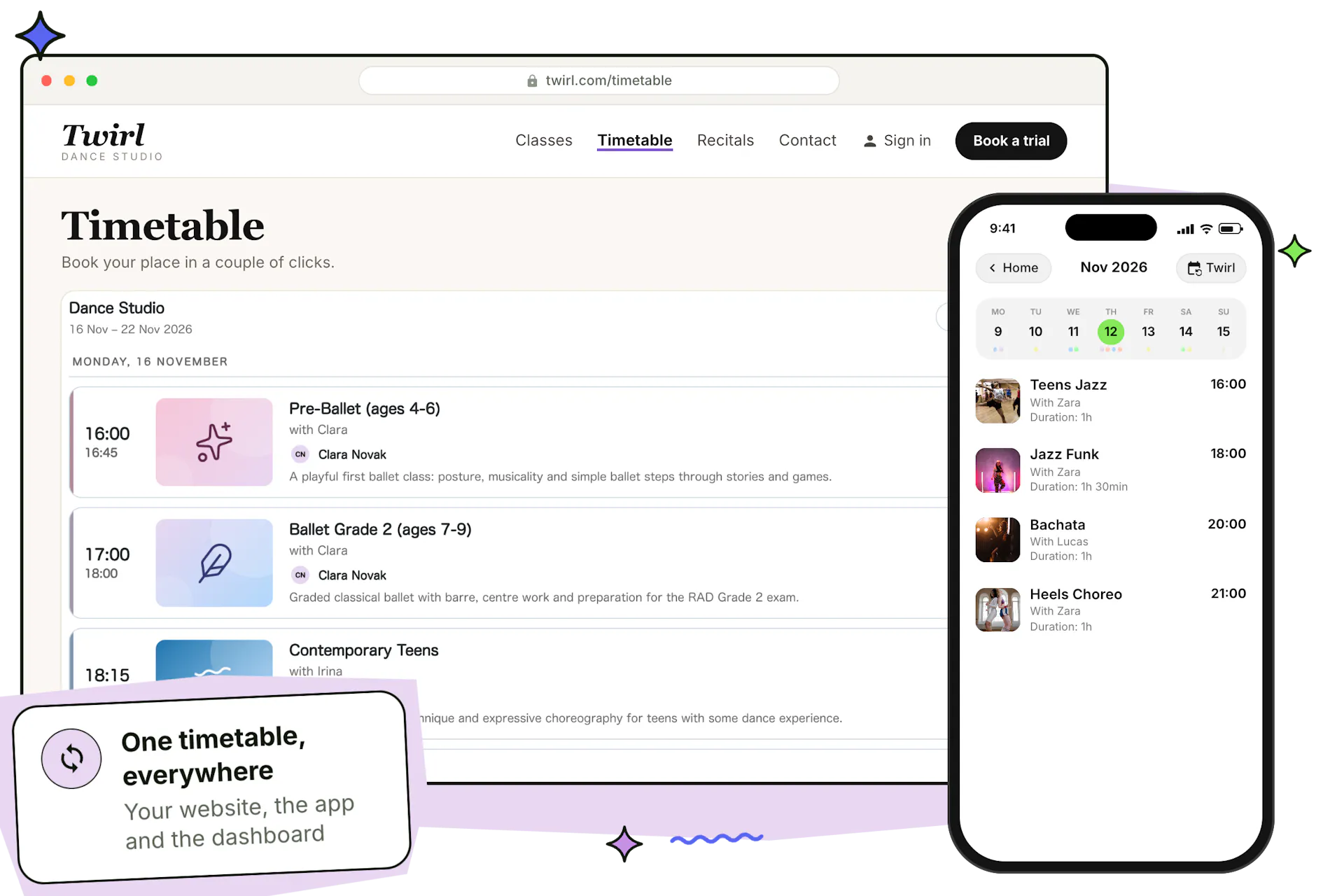
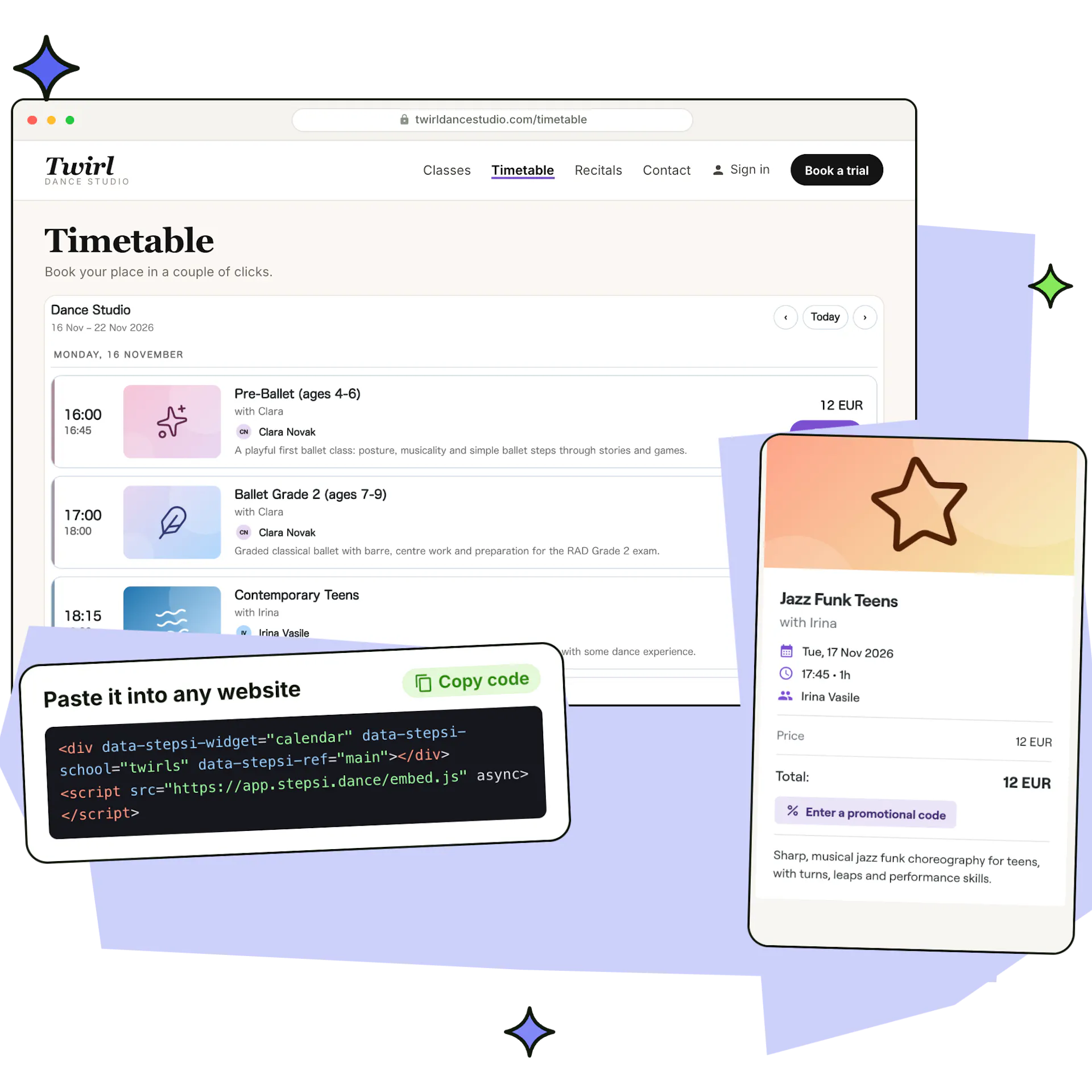
Every change shows up at once in the Stepsi app and on your website, through the calendar widget on any site or the website builder's own timetable. Dancers filter by class, book in a couple of clicks and add the class to their phone's calendar.
Explore website widgetsA calendar for every room, location and rehearsal
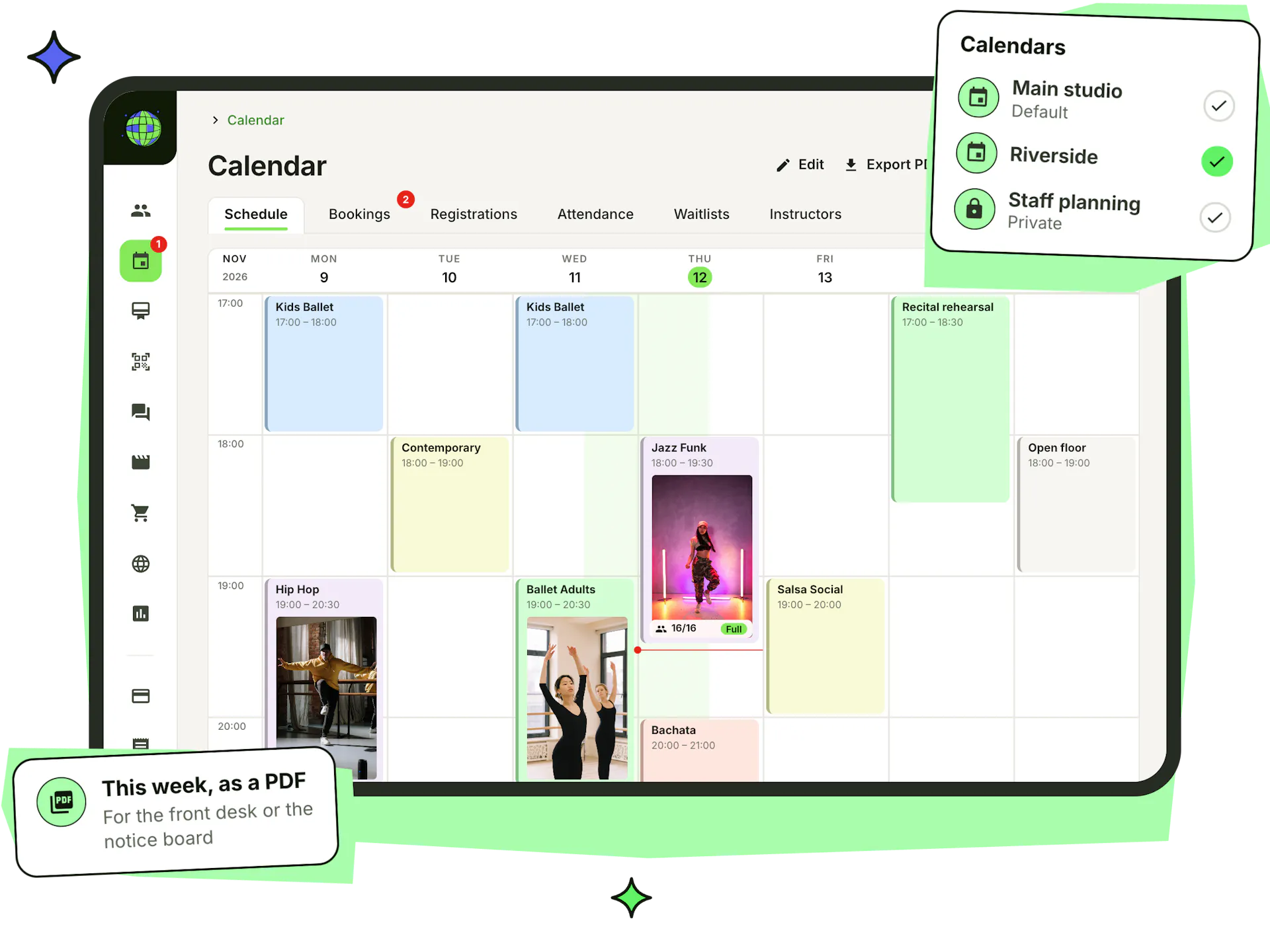
Give each location or studio room its own calendar, and keep private calendars for staff planning, rehearsals or teacher meetings that never show on your website. Dancers see a clean timetable while your team sees everything.
- A calendar per location, studio room or programme
- Private calendars for staff planning and rehearsals
- Staff limited to the calendars they work in
- Move classes between calendars, copy them, or archive old ones
- Workshops and events sold in your shop appear on the calendar too
- The week exported to PDF for the front desk
Keep every class full, without the admin
Dancers book in two taps in the app or on your website, covered by their membership or class pack, paid by card or paid at the studio. Your rules keep spots fair, and the waitlist refills them when someone cancels.
Booked in two taps
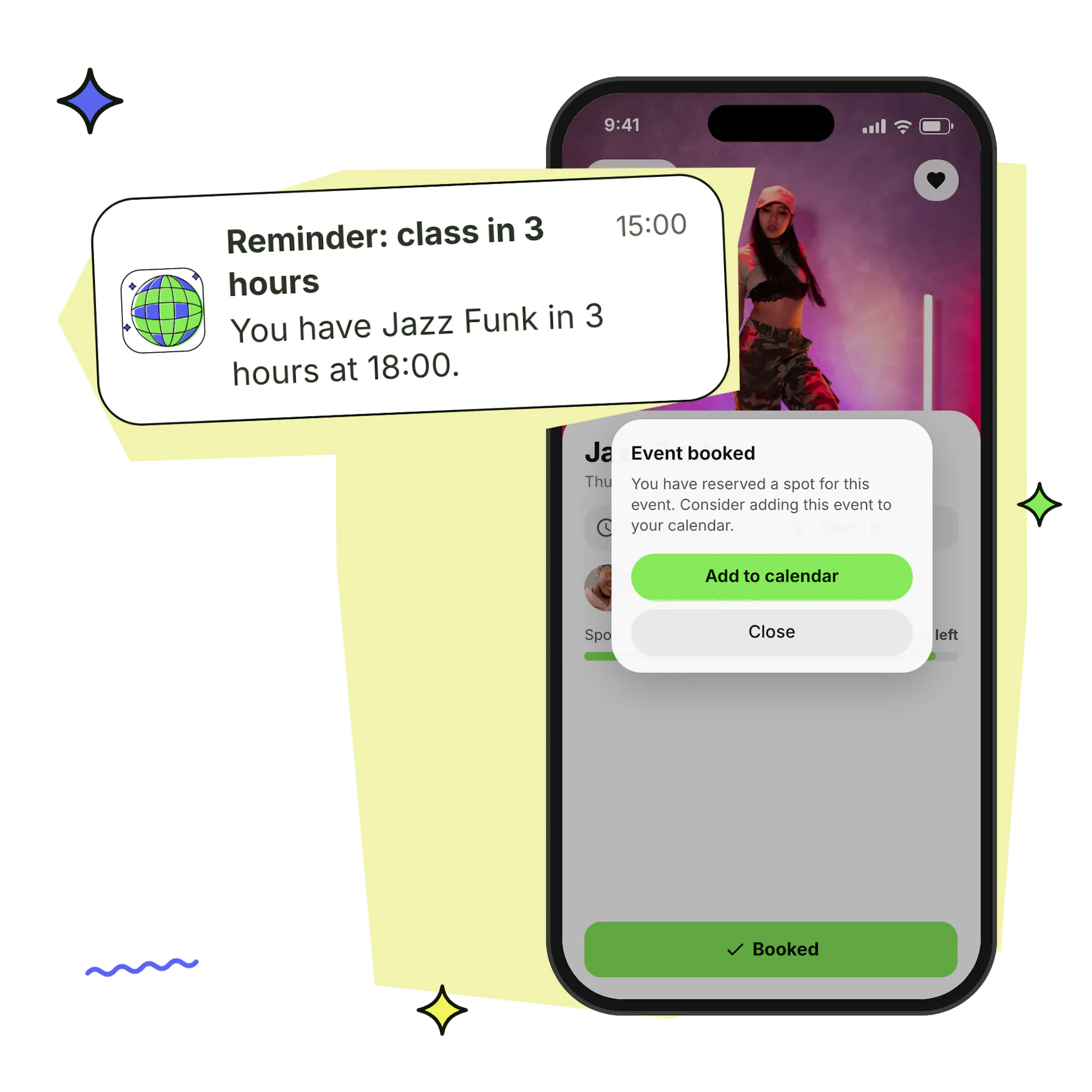
Book from the app or your website, add the class to the phone's calendar and get a reminder the day before and 3 hours before class.
How dancers book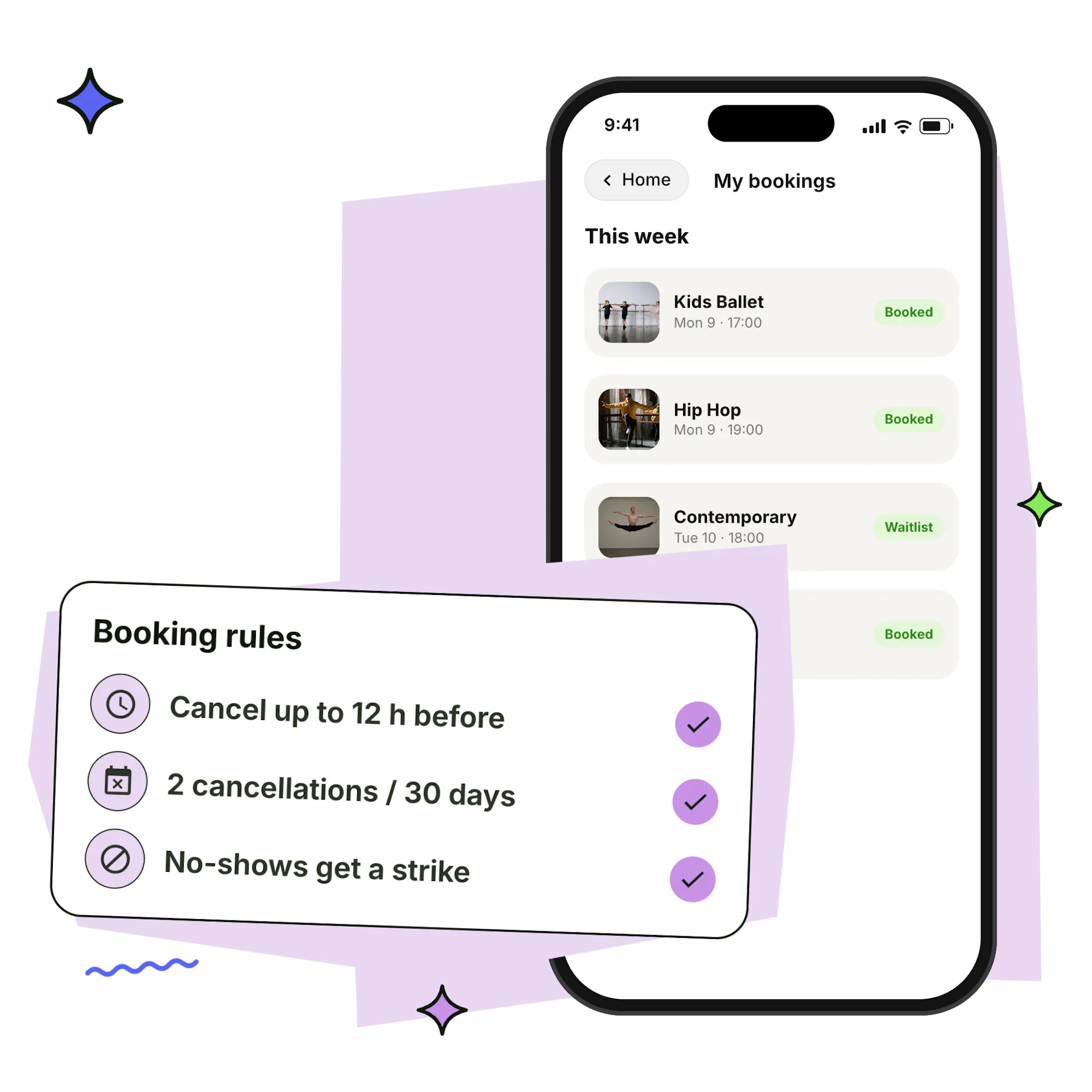
Rules that protect your classes
Set how late dancers can book or cancel, limit how often they cancel, open classes to active members only and give no-shows strikes that can block booking.
Set booking rules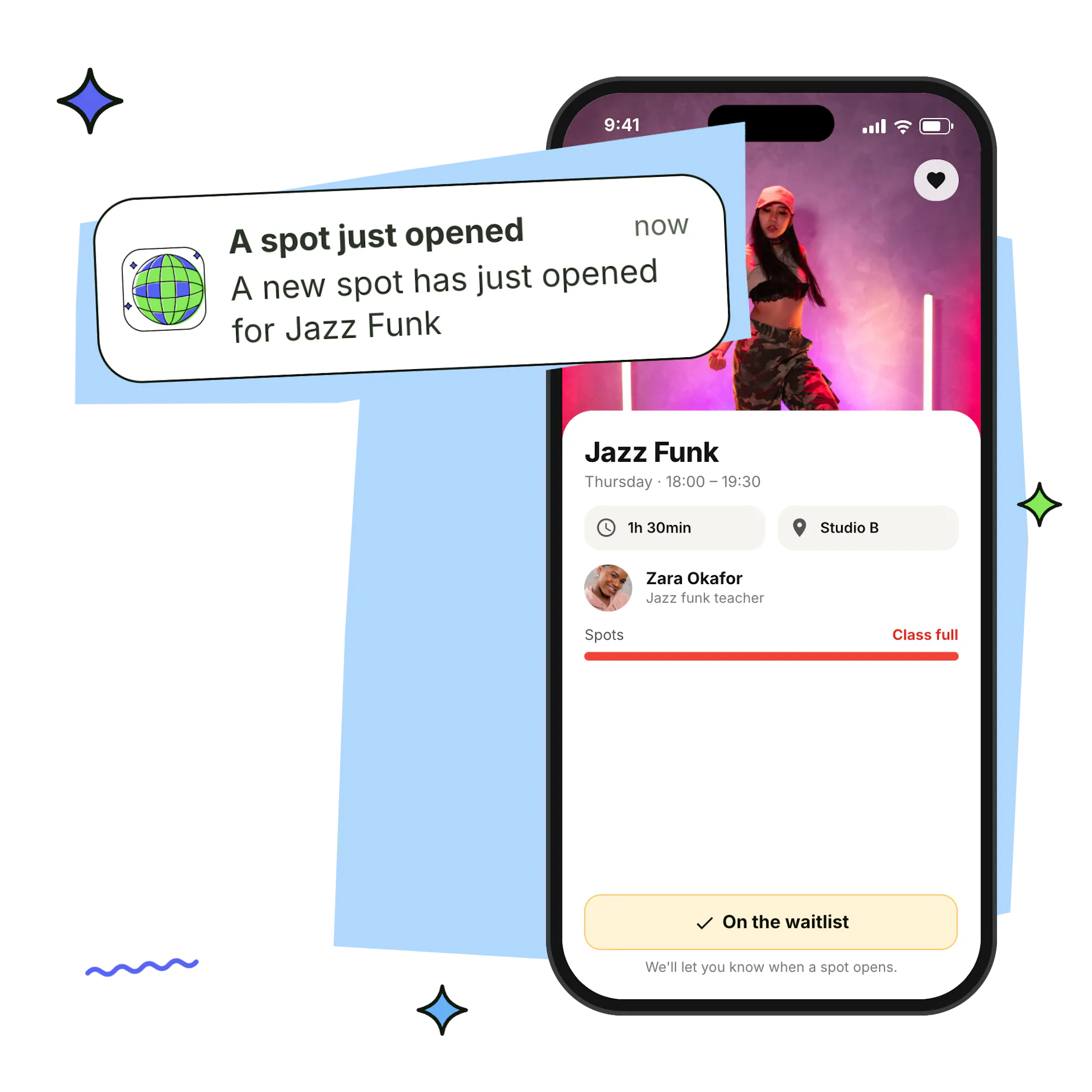
Waitlists that refill spots
When a class is full, dancers join its waitlist. Everyone waiting gets a push the moment a spot opens, for single classes and term registrations alike.
Manage waitlistsEvery booking in one list
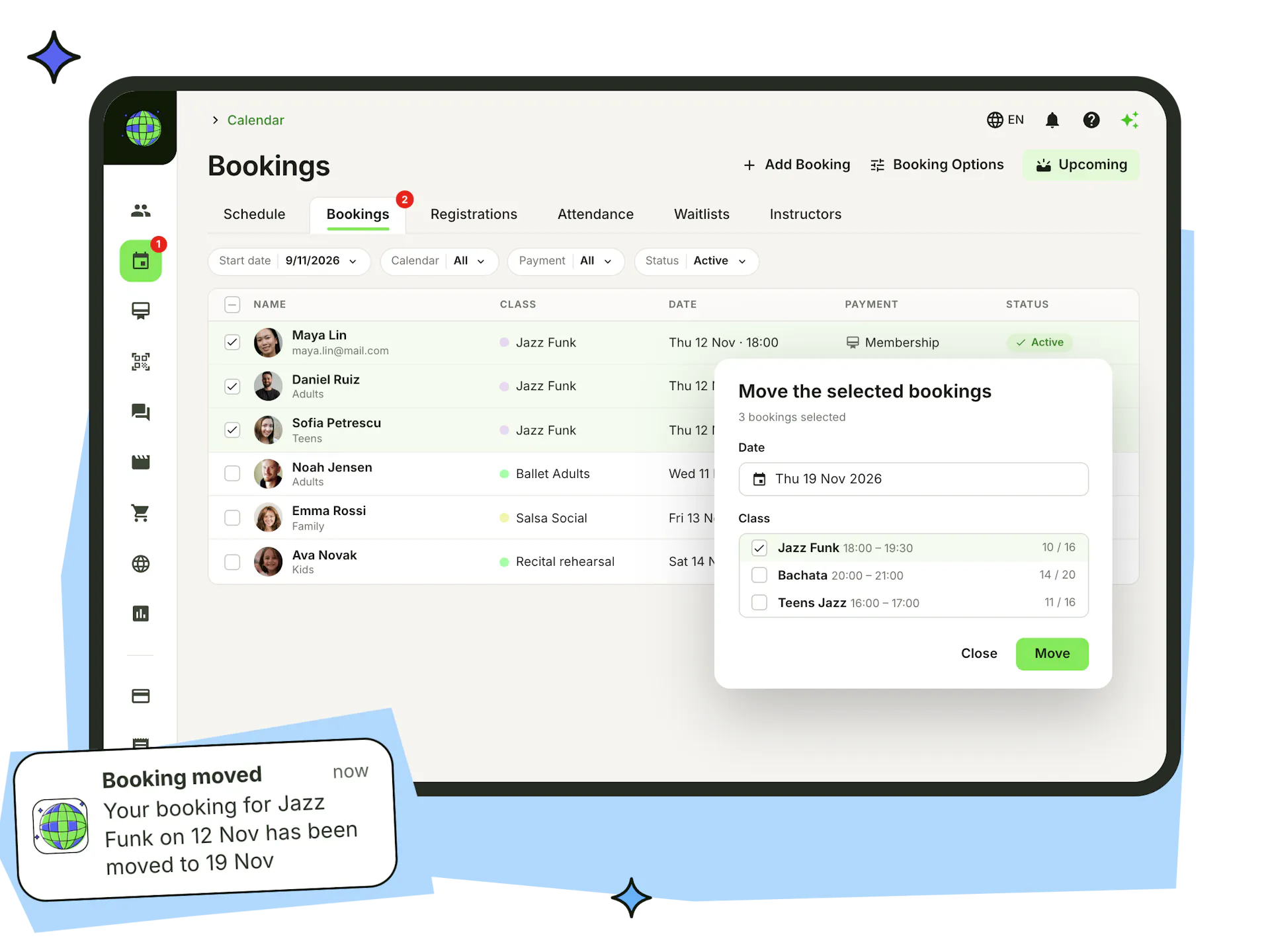
See the week's bookings or the full list, upcoming or past, and filter by date, member group, calendar, payment or status. Add a booking for a member or a guest yourself, covered by a membership, a free invite or a coupon, or paid at the studio.
- Move a class's bookings to another date or class in one go
- Cancel bookings with a reason, with or without a refund
- Dancers get a push when you move or cancel their booking
- Confirm a booking to check the dancer in, with every change kept in the booking history
Term registrations for weekly classes
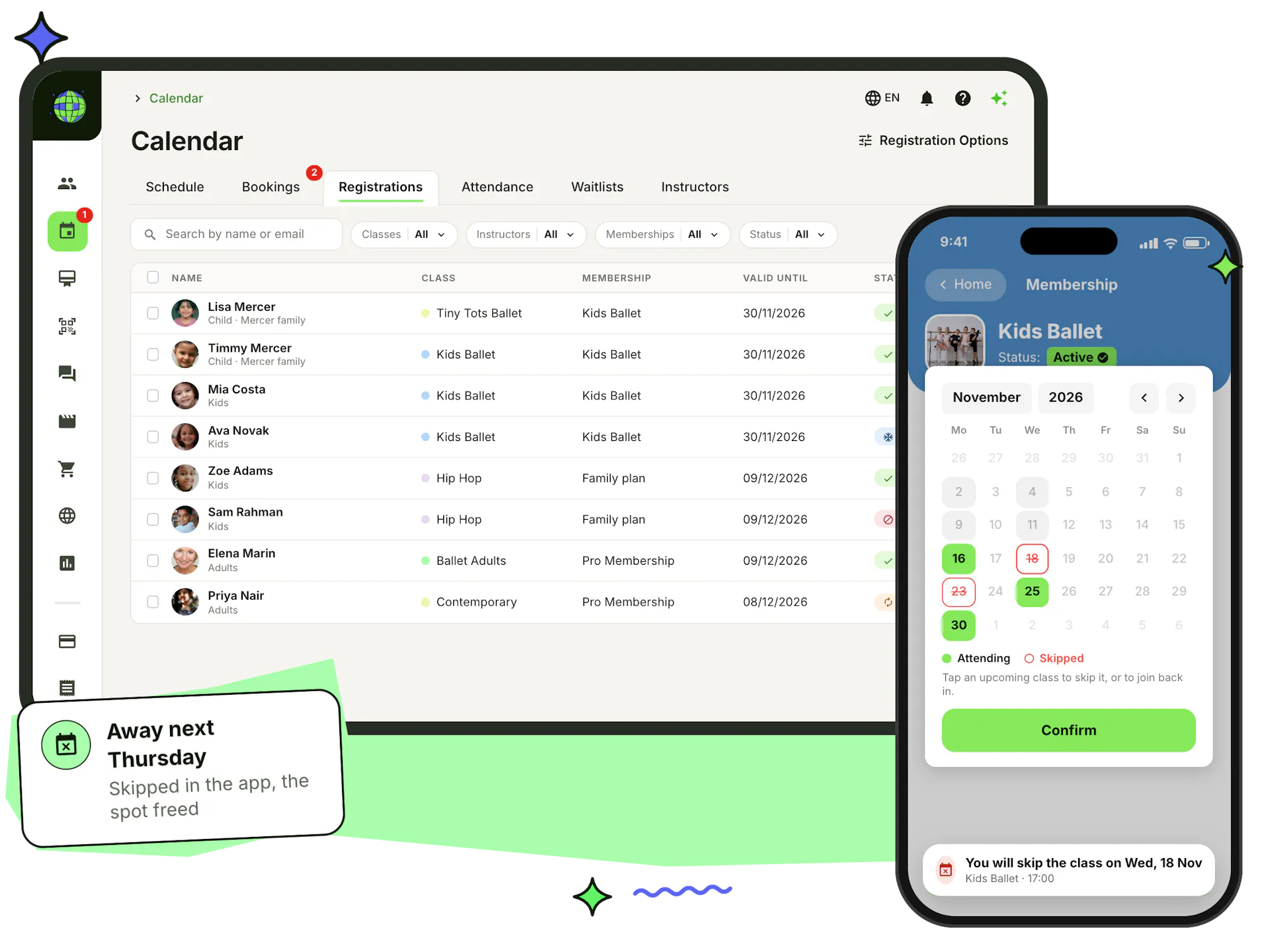
Let families register for a weekly class for the whole term instead of booking every session. Set a price per renewal period and a maximum number of registrations, and each registered dancer keeps their place in every session.
- Commitment and grace periods, or cancel automatically when the term ends
- Several classes bought together renew as one
- Dancers skip a class in the app, and you see who's coming to the next sessions
- Change class or cancel registrations in bulk, and stop new registrations once a class has started
Teachers, hours and time off in one place
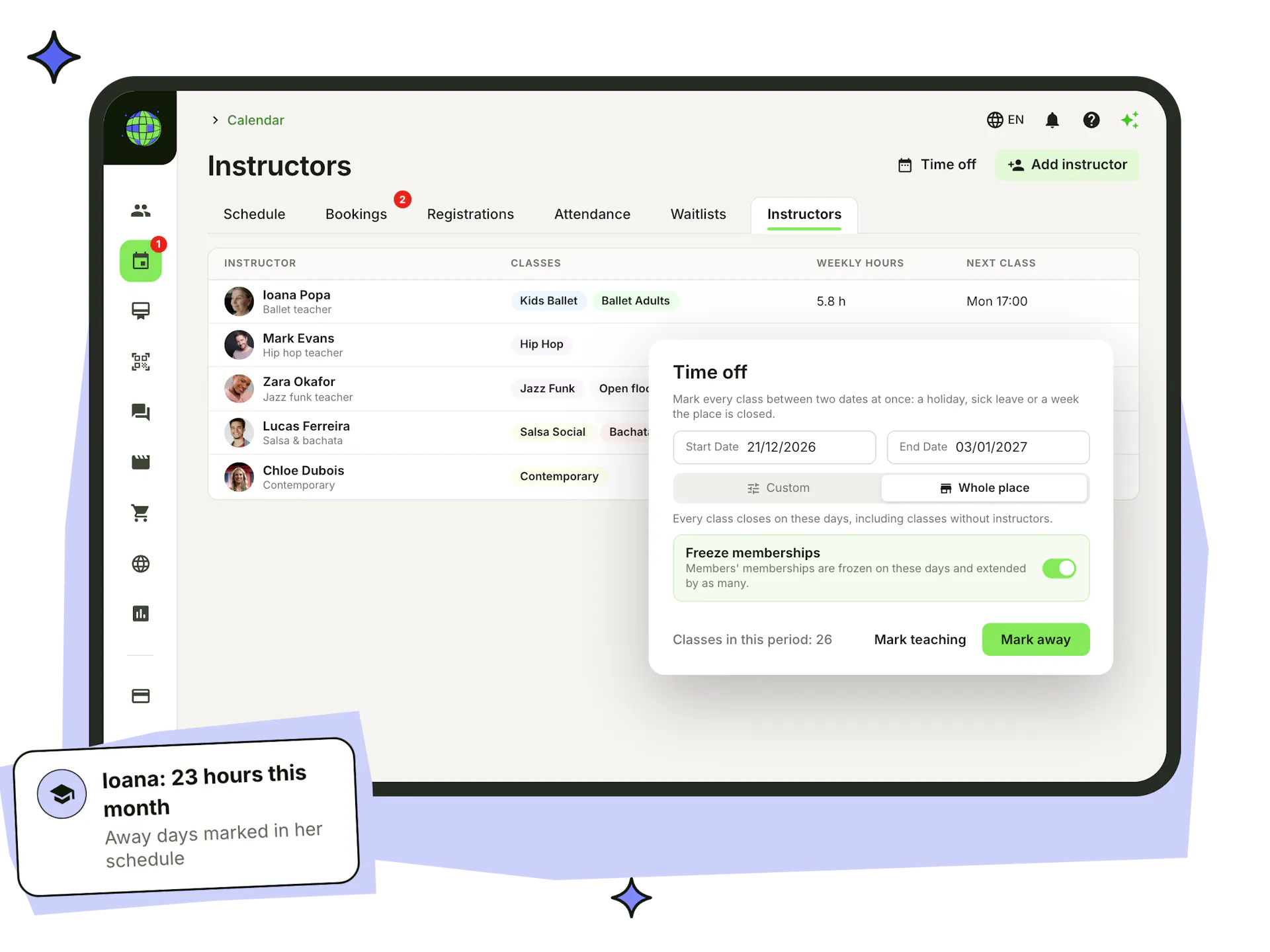
Add teachers from your members or as new people, with their speciality and classes. Each one has a monthly schedule with their teaching hours, and you can mark them away for a day, a week or any dates.
- Time off for holidays, sick leave or closures: one teacher, some classes or the whole studio
- Freeze members' memberships on the closed days, extended by as many days
- A class another teacher also teaches stays open
- Teachers see only their own classes, and get paid through Stepsi
Everything else your timetable needs
Scheduling works with the rest of Stepsi, from check-in at the door to the numbers that tell you which class to add next.
Timetable on your website
Paste the calendar widget into any website, with your colours, filters and booking window.
Website widgets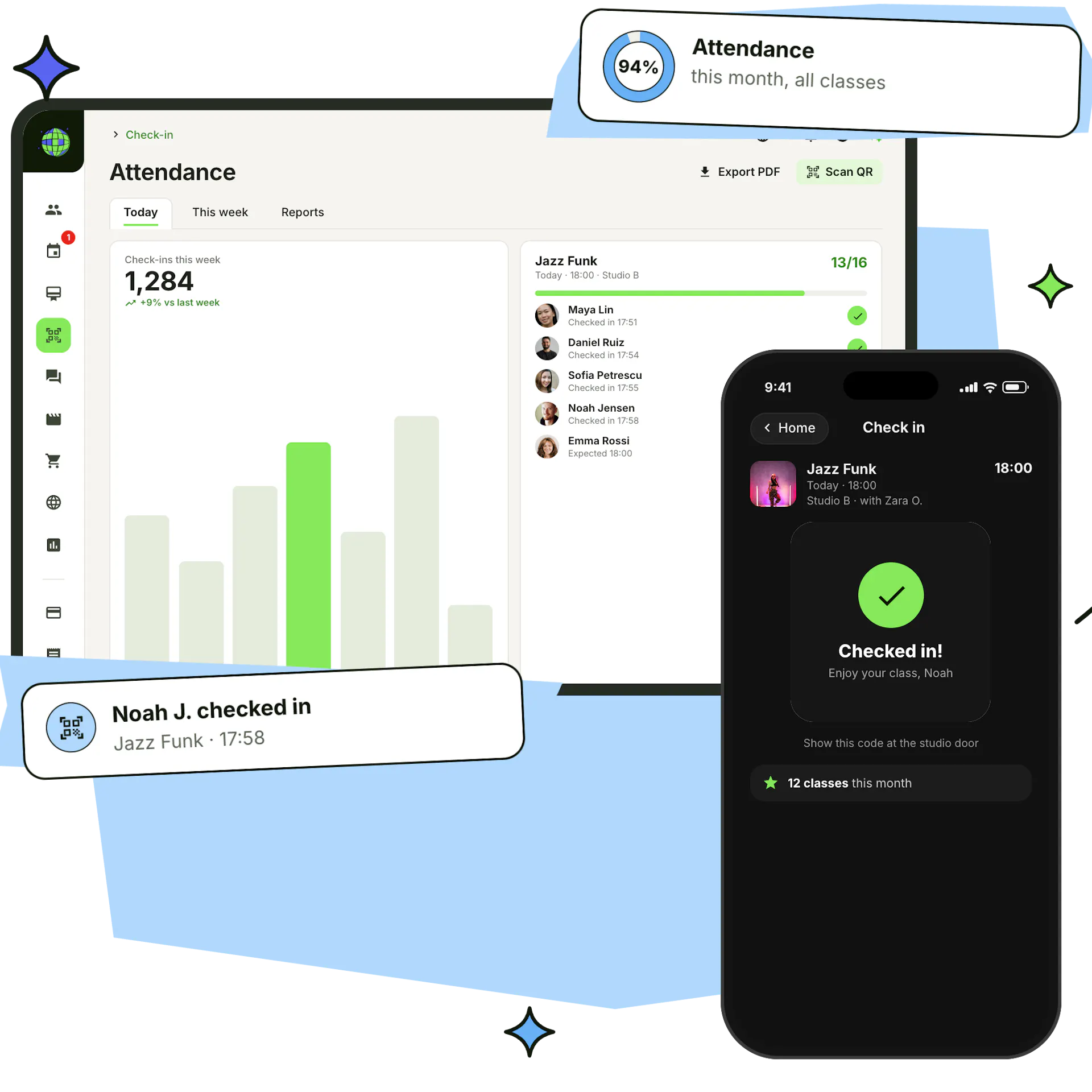
Check-in at the door
Dancers scan your QR code and the class roster fills in, with paid drop-ins for anyone without a booking.
Check-in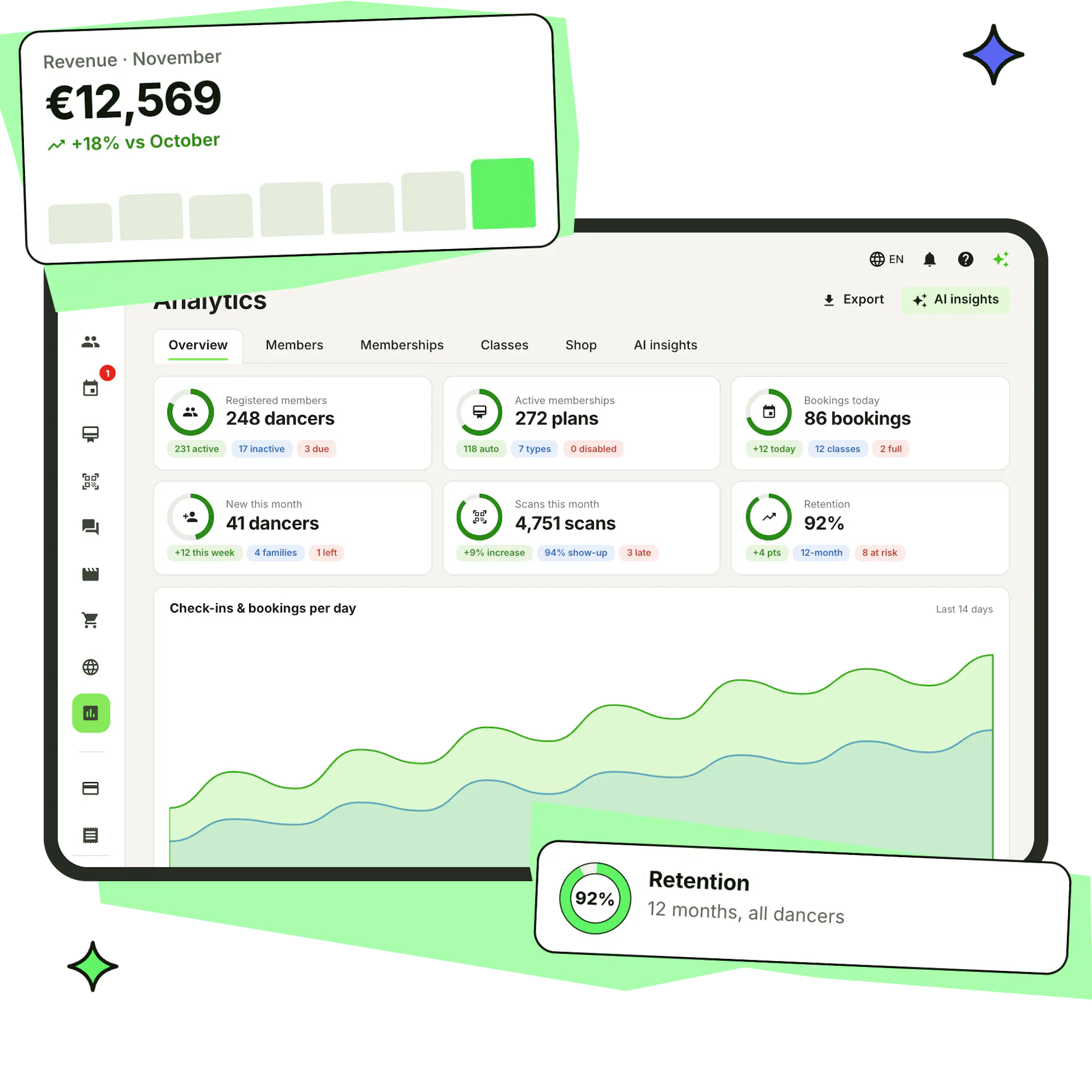
Class analytics
See fill rates, no-show and cancellation rates, the busiest times of the week and revenue by class or teacher.
Read your analytics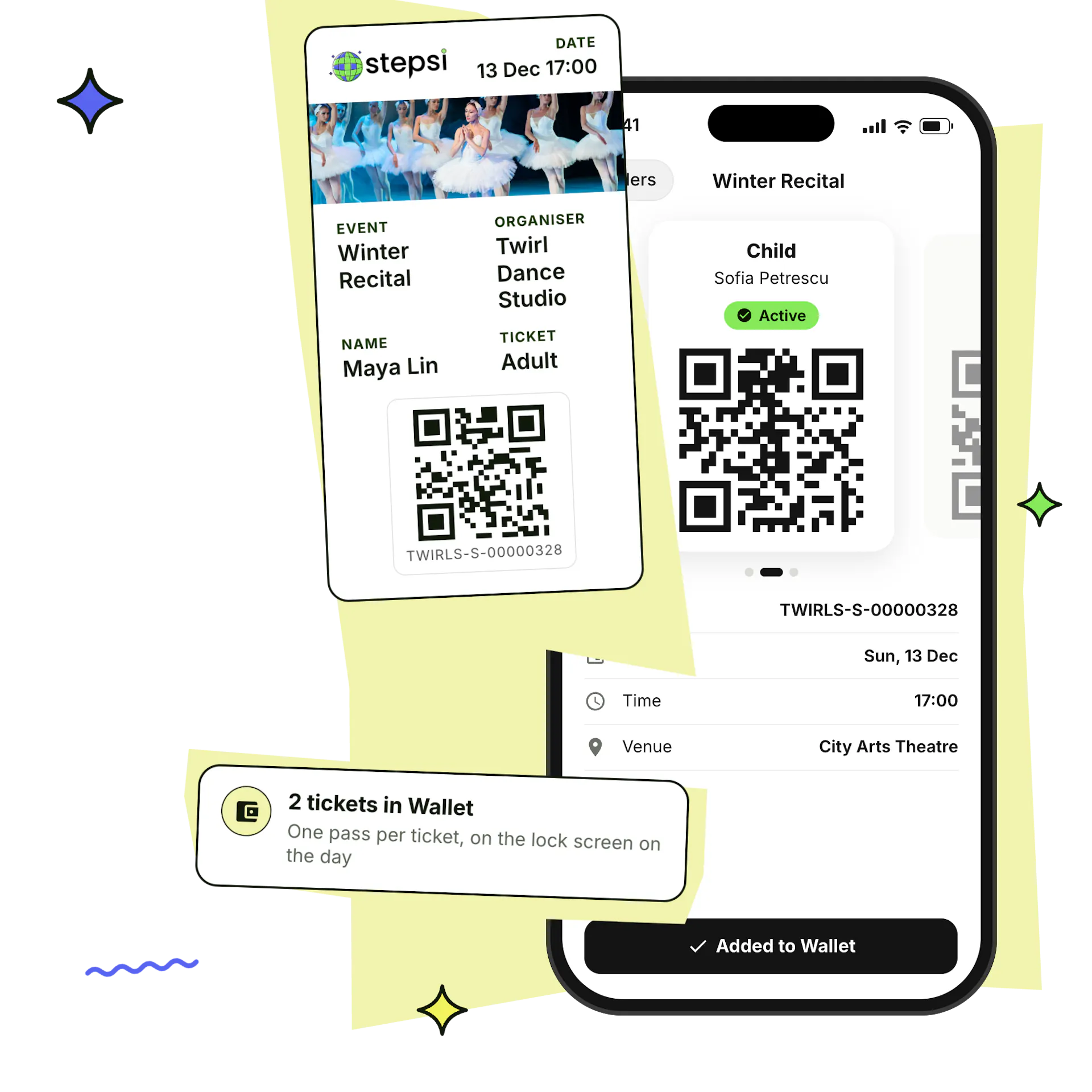
Workshops & events
Sell tickets for workshops and shows with Apple Wallet and Google Wallet passes, and they appear on your calendar.
Online shopFrequently asked questions
Can I schedule recurring dance classes?
Yes. Create a class once and repeat it every week or every 2, 3 or 4 weeks between two dates, on the days you choose. One-time workshops, events and all-day classes work too.
Can dancers book classes in the app and on my website?
Yes. The Stepsi app and your website show the same timetable. Dancers book a spot, join a waitlist or register for the term, and can add the class to their phone's calendar.
What's the difference between capacity and time-slot bookings?
Capacity bookings fill a class up to the number of spots you set. Time-slot bookings split a session into slots of the length you choose, such as private lessons, and a dancer can book several slots on the same day.
How do waitlists work?
When a class is full, dancers join its waitlist from the app or your website. As soon as a spot opens, everyone waiting gets a push notification and can book it. Term registrations have waitlists too.
Can I offer term registrations instead of single bookings?
Yes. Turn on registrations for a recurring class and families register for the whole term, with a price per period, commitment and grace periods, and renewals handled for you. Dancers can still skip a class from the app.
Can I stop last-minute cancellations?
Yes. Set how many hours before class dancers can still cancel, block cancellations for a class altogether, limit how often someone cancels, and give no-shows strikes that can stop them from booking.
Can I have separate calendars for different rooms or locations?
Yes. Create a calendar for each location, room or programme, keep private calendars for staff planning that never show on your website, and limit staff to the calendars they work in.
What happens when a teacher is away or the studio closes?
Use Time off to mark a teacher, some classes or the whole studio away between two dates. A class another teacher also teaches stays open, and you can freeze members' memberships for those days so they are extended by as many days.
Can I move or cancel the bookings for a whole class?
Yes. Select the bookings and move them to another date or class in one go, or cancel them with a reason and an optional refund. Dancers get a push notification about the change.
Plan your next term in Stepsi
Build your timetable, open bookings and term registrations, and share them in the app and on your website.
Create your free account
Sign up and choose the 6-letter code your dancers will use to join.
Build your timetable
Add your classes, rooms and teachers, or import them with the AI assistant. Our team helps you set up.
Choose your plan
Pick the plan that fits your number of active members, paid monthly or yearly.