


How to read your dance studio analytics in Stepsi
Stepsi turns your bookings, check-ins and payments into a dashboard. This tutorial explains the numbers on the Overview, what the other tabs show and how to use the AI insights.

Analytics answers the questions every studio owner asks: are we growing, which classes are full, who might leave and where does the money come from.
1. Set the period
Go to Analytics. Choose a Date range such as Last 4 weeks, a Daily or Hourly view, and the Currency. Compare adds the previous period or previous year next to each figure.
2. Read the Overview
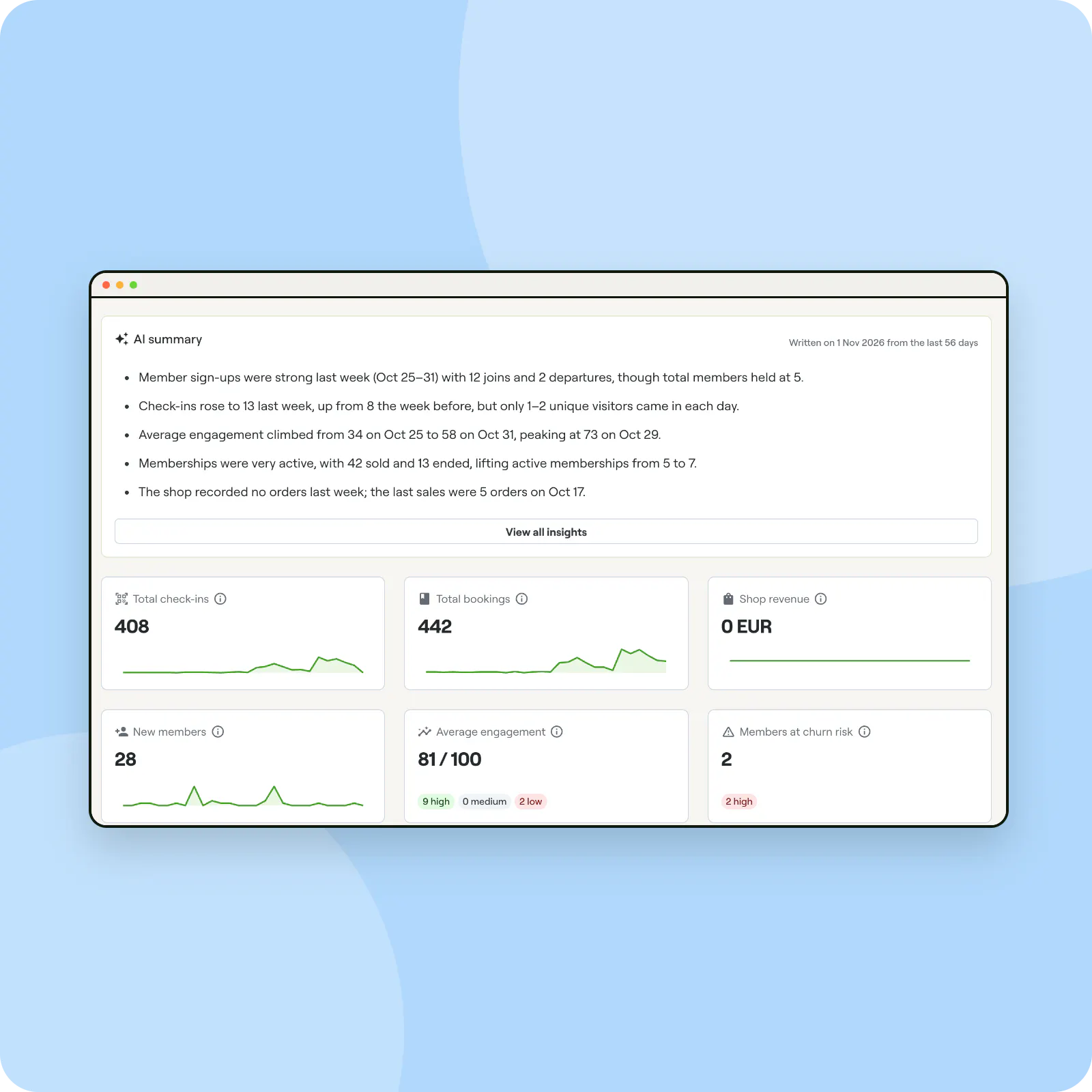
The AI summary sums up the period in a few lines. Below it:
- Total check-ins, Total bookings and Shop revenue
- New members, Average engagement and Members at churn risk
- Revenue, Net revenue after Stripe fees, Average payment and Refunded
3. Dig into each area
The tabs go deeper. Classes shows each class's sessions, average attendance, fill rate and cancellation rate. Members and Memberships show growth, visits and plans sold. Shop covers orders and items sold.
4. Act on AI insights
The AI insights tab lists churn risks with a suggested action, engagement tips and next best actions, each with a category and priority. Insights refresh every week; double-check them before acting.
Look at fill rates each term
A class that is always above 90% full needs a second session; one below 40% may need a new time or a new name.
Decisions backed by data
The figures come from the bookings, check-ins and payments you already record, so there is nothing extra to track.
Frequently asked questions
What does Members at churn risk mean?
Paying members whose activity has dropped over the last 30 days, whatever period you picked.
Is my Stepsi subscription counted as revenue?
No. Revenue is payments taken in the period less refunds; your subscription and staff payroll are left out.


